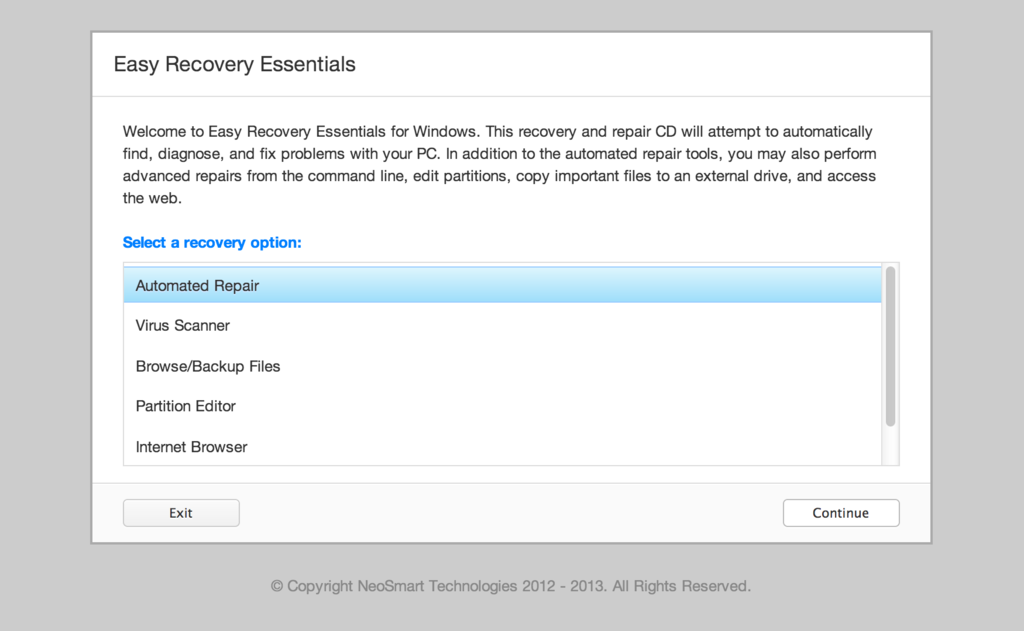
Download: Windows Vista x64 Recovery Disc

Ever since we first made available the Windows Vista Recovery Disc for download back in January, we've been inundated with requests for an x64-compatible version. Flash-forward to three months later, and it's finally here!

If you don't already know what the Windows Vista Recovery Disc is and what's used for, take a quick look at the original article - good luck catching up on the half-a-thousand comments there!

What it does: The Windows Vista Recovery Disc can be used to access a system recovery menu, giving you options of using System Restore, Complete PC Backup, automated system repair, and a command-line prompt for manual advanced recovery.

What it doesn't do: You cannot use the Windows Vista Recovery Disc to re-install Windows - it only fixes (not replaces!) Windows.

Why you need it: If you bought your PC from a major retailer, you didn't get this CD with your hefty purchase.

Download Links

Windows Vista Recovery Disc 32-Bit (x86) Edition

Windows Vista Recovery Disc 64-Bit (x64) Edition

Windows 7 Recovery Discs

Please note that the above links point to .torrent files. Torrent files are like a shortcut, they tell a download manager on your PC where to download the actual files from. Downloading large & important system files with torrents is highly recommended since torrents are protected against corrupt downloads and tend to be faster when well-shared.

(All torrents are being seeded by 100mpbs servers, they should be blazing fast).

Instructions

  1. Download the appropriate .torrent file from above that corresponds to the version of Windows Vista you have installed.
  2. Download and run µTorrent.
  3. Open the .torrent file you downloaded with µTorrent. (File -> Add Torrent)
  4. Select where you want µTorrent to save the Vista Recovery Disc.
  5. Wait for it to download.
  6. Burn the .iso file that µTorrent downloaded to a CD using these instructions.
  7. When you want to use the recovery center, put the CD in your drive and boot from it. This is usually done by pressing F8 at startup, or changing the boot drive order in the BIOS.

Support

Please don't ask for help below, it'll get real cluttered real soon! Open a support thread at http://neosmart.net/forums/ and we'll help you resolve your problem ASAP.

A Token of Appreciation?

Have we saved you a lot of time, effort, problems, and loss of limb, life, or worse? How much have you saved in support and repair costs? Do you want to say thank you? You can make a donation here:


Leave a Reply  •  About to Ask for Help?  •  Subscribe to Our Feed

376 Responses to “ Download: Windows Vista x64 Recovery Disc ”


  1. 1claude
    Apr. 7th, 2008 at 8:05 pm

    Yay!!!

  2. 2claude
    Apr. 8th, 2008 at 1:59 am

    Well i saved the torrent earlier and was going to start downloading later, and when i did, there were no seeders.

  3. Apr. 8th, 2008 at 5:19 am

    There are currently 40 seeds for the x64 image (and 260 for the x86 one), are you sure your downloader is contacting the tracker fine?

  4. 4claude
    Apr. 8th, 2008 at 2:19 pm

    Well, turns out it wasnt. I removed that torrent and downloaded it again and it seems to be working now. Thx.

  5. 5rewt
    Apr. 8th, 2008 at 8:53 pm

    I hope this will work with SP1.

  6. Apr. 8th, 2008 at 9:12 pm

    Don't worry, it was created from and with Vista SP1 in mind.

  7. 7rewt
    Apr. 8th, 2008 at 11:21 pm

    That is great, Mahmoud! Thanks for the information.

  8. 8claude
    Apr. 9th, 2008 at 6:55 pm

    Will this disk work on ia64 as well, or just x64?

  9. Apr. 9th, 2008 at 7:05 pm

    We don't have an IA64 server to test it on ;)

  10. 10claude
    Apr. 9th, 2008 at 7:17 pm

    Oh thats ok. I dont have an x64 or ia64 machine. I havent been able to test any of the 64-bit stuff. I dont even know if mine works. :-\

  11. 11Guillotine
    Apr. 10th, 2008 at 7:33 am

    Hello Guys,

    Sorry but I was following the whole issue since the beginning and I did and still have some issues on my desktop which runs on Vista Ultimate, I downloaded the first Image posted, then followed up till in here and downloaded the x86 Image and burned for more than once, using once alcohol120% then Imgburn. In both cases the image didn't work, it does load fine, then the normal message of Drive:/Sources/Install.Wim. The file does not exist. Error code 0x80070002

    I thank you for the great effort though even though I wasn't benefited, but still I am sure a lot others may not have the same problem.

    Jaser

  12. 12BRAYAN
    Apr. 10th, 2008 at 7:29 pm

    i need a solution for the error 0x0000C1F5 HEEEEEEEEEELP MEEEEEEEEE PLEASE

  13. 13Maikel
    Apr. 11th, 2008 at 7:10 am

    I can't download torrent at my place is there any other way to download the Windows Vista Recovery Disc x64 Edition? please help..

  14. 14Onliner
    Apr. 11th, 2008 at 11:41 am

    I just wanted to give you guys a big thanks for making this tool available, it saved the day for me (or should I say long, long night ;) I will be sure to keep both x86 and x64 versions in my toolkit, thanks again!

  15. Apr. 11th, 2008 at 5:10 pm

    I'm glad to hear the recovery disc has come in handy... Needless to say, it'd be much appreciated if people would continue to seed the torrent once they've downloaded it for themselves.

  16. 16Mark
    Apr. 11th, 2008 at 11:55 pm

    Thank you; I can finally fix my laptop, hp in its infinite wisdom sold me a x64 vista ultimate machine but crippled the RE with their own customizations (which I could have dealt with if hp's own system recovery disc worked but it doesn’t).

  17. 17bigt
    Apr. 13th, 2008 at 3:25 am

    as much as torrents annoy the heck out of me, this seems like my only choice.

    openSUSE screwed with my Vista partition, so i'm pretty much out of luck until this is done downloading.

    thanks a bunch!

  18. 18MrBuzzard
    Apr. 16th, 2008 at 7:49 pm

    Followed all the instructions, and now I have two nice little files on my disk, one is 20KB, the other is 12KB size. Both showed that the entire file downloaded. What am I doing wrong???

  19. Apr. 16th, 2008 at 8:00 pm

    Read the article carefully - it explains what to do.

  20. 20MrBuzzard
    Apr. 16th, 2008 at 10:02 pm

    Thanks for the response. I transferred the file to Win XP and burned it flawlessly. Not sure why it didn't burn with Vista.

  21. 21Artti
    Apr. 21st, 2008 at 4:58 pm

    I download recovery disk and writed it on cd. Vista shows that it starts to boot but it ends with Windows Error Recovery. Selecting "Start Windows Normally" makes computer restart and selecting "Launch Startup Repair" gives me blue screen.

    I appreciate any help.

  22. 22Metrox
    Apr. 23rd, 2008 at 1:24 am

    Artti, is your system set to boot off the CD drive?

  23. 23Artti
    Apr. 23rd, 2008 at 1:08 pm

    Yes it is. It shows: booting from CD.

  24. 24trala
    May. 2nd, 2008 at 9:45 pm

    Wow... this is such excellent work. It worked great on my Vista x64 SP1 dual booting with XP. I installed XP after Vista, but for some reason couldn't run EasyBCD on my XP install, though I was able to use it from within Vistax64. Another person couldn't run it on his XP either, I wonder if it has anything to do with having OS's installed on separate hard drives? Anyway, this worked very well as well, just repaired the Vista boot and automatically it also recognized the XP install, giving me the option to boot either one.

    Truly great work here at Neosmart.net! Providing us with repair iso's for both x86 and x64 is truly a gift. Thank you!

  25. May. 5th, 2008 at 2:37 pm

    your links to downloads do not work???

  26. May. 5th, 2008 at 4:12 pm

    Your ISP (are you in a university or at work?) is most likely blocking access to non-standard ports.

    Try this mirror: x64 torrent x86 torrent

  27. 27Sean
    May. 8th, 2008 at 3:25 pm

    Thanks beyond thanks. HP Support told me there was no option but to restore factory settings and lose all my data (work product and hundreds of pictures of my first child). I followed the instructions you provided and now my laptop is back in business. I've since backed up all my files to an external drive.

    Your solution saved my family so much. Thanks! Thanks! Thanks!

  28. 28Philip Savill
    May. 18th, 2008 at 10:16 pm

    Hi D/L this and burned ok to disk the only thing i would like to know before i go ahead and use it is this: im having trouble with vista updates with error message saying that"WINDOWS COULD NOT SEARCH FOR NEW UPDATES" with this error no:80070424, im guessing no one would actually know but will this solve my problem or not???? has everything els is running fine?????

  29. 29riversong33
    May. 28th, 2008 at 1:45 pm

    Will this work for VISTA 32 bit as well? I bought a laptop with VISTA Home Premium 32 bit and would like to download a backup disk. Thanks.

  30. 30Colin
    May. 28th, 2008 at 6:21 pm

    I downloaded x64 recovery disk but it doesn't seem to be an ISO file. ImgBurn doesn't recognize it as an image file and therefore I cannot burn it to a CD. I don't know what to other then try to download the x84 version and see what happens.

  31. 31onixie
    May. 29th, 2008 at 1:57 am

    hey guys i was wondering where is the 32 bit i cant find it anywhere

  32. 32Jimbo
    Jun. 4th, 2008 at 6:21 am

    Onixie, for 32 bit you'll need the x86 version i think.

    Colin, the file you are downloading is a torrent. You need a program (like Bittorent) to use that torrent to get the ISO file, then burn the ISO.

  33. 33CASTALIA
    Jun. 5th, 2008 at 8:45 pm

    I downloaded, and burned the img file for Vista x86 But I get the Error Code: 0x80070002 and cannot read from e:\source\install.wim WHAT AM I DOING WRONG? I really need my laptop to work asap!

  34. 34john c
    Jun. 11th, 2008 at 5:04 am

    This is probably a silly question but my Vista is 32bit so what file do i download.

  35. 35Phil
    Jun. 11th, 2008 at 12:12 pm

    John you will need the x86 version, also an Bittorrent client like Bitlord hope that helps

  36. 36daniboy
    Jun. 13th, 2008 at 12:46 pm

    thank you soooooooooooooooooooooooooooooooooooooooooooooooooooooooooooooooooooooooooooooooooooooooooooooooooooooooooooooooooooooooooooooooo much,i just pretty much downloaded a virus on my brothers laptop (vista) and it poped up the blue screen of death every time it booted up allowing me to do nothing, right now its in the stages of finallizing and if it works i will LOVE YOU 4EVER TO DEATH (seriously) thanks so much now i can finally go to sleep.

  37. 37Micke
    Jun. 15th, 2008 at 6:19 pm

    THANKS!!! 50% av vista services couldnt start after a reboot. It has been running for three weeks without a restart.. I started my computer in failsafe, with no success, i couldnt get restore to work cause services that resore depend on didnt start... I was nervous that it wouldnt work with the resotore cd either, but it did... three hours later. Thank you!

  38. 38erny
    Jun. 22nd, 2008 at 5:49 pm

    i dont know what this is for? correct me if im wrong, i bought a hp pc that originally came with xp but upgraded to vista now i cant recovery back to xp using f10, so if i download and use this it will fix it and i can do pc recovery using normal methods(f10) upon boot?

  39. 39Israel
    Jul. 4th, 2008 at 12:33 pm

    Just wanted to say thank you very much for putting this out!

    I have an HP Media Center with Vista Home Premium 64 Bit and just like the previous HP machine I had owned, it didn't come with the recovery discs. On top of that, I had gotten this as open box and the guy at Frys didn't mention that the previous owner had made recovery discs from the disc creation interface. I didn't find that out until I tried to make one and I got the message saying that I can't do it because HP only allows ONE set to be created. So then I checked with HP and they want 17 bucks for the disc.

    Being as I'm not a huge fan of paying for something that is SUPPOSED to be included with the stuff I buy, I kept looking around for it and I stumbled across this site, downloaded the torrent, tried it out, it works great and everything is just dandy.

    Now, I can get rid of that partition which isn't a problem yet, but it's a gig and a third away from being full so I figure instead of dealing with it, I'll just go ahead and say goodbye to it so that I may have 10 free gigs lol

    So, thanks again! And I will spread the word to my fellow Vista users who have also been cheated of their recovery discs!

  40. 40Fernando :(
    Jul. 6th, 2008 at 9:48 am

    hhheeeyyyyyyy PPPLLLEEEAASSEEE

    this happend when im installing the windows vista from that cd..I get the Error Code: 0x80070002 and cannot read from e:\sources\install.wim

    pleas letme know what can i do..please

  41. 41Stevej
    Jul. 7th, 2008 at 1:08 am

    MD5 for x64 download??

    In this comment for the x86 Repair disk for published it's MD5.

    Are you able to publish the MD5 for the x64 repair disk, or do you already have those on-line and I've just missed it?

  42. Jul. 7th, 2008 at 1:19 pm

    If you download it via bittorrent, you don't need to check the MD5 - bittorrent does hash checking by itself, automatically.

  43. Jul. 8th, 2008 at 9:18 pm

    Being security minded, I tend to use EFS to encrypt my personal files in windows...

    I'm running dual-boot with Debian Linux Etch and Vista Ultimate x64. Somehow I managed to delete my c:\boot directory and faced the \boot\BCD 0xc000000f error message of death.

    To make things worse, the HP recovery DVD's had been put in 'a safe place'. So safe, that I have no bloody idea where the hell they are...

    Downloaded your magical x64 recovery CD and gave it a whirl. It worked like a charm!

    My life is now worth living again, Thanks! :]

    clicks the 'donate' button

  44. 44Felinah
    Jul. 13th, 2008 at 5:30 pm

    I'm having trouble downloading the file. I was able to get through insturctions 1 to 4 (the instructions above), but the file isn't downloading.

  45. 45AnonymousFreak
    Jul. 14th, 2008 at 4:46 pm

    No, it will not work on IA64, aka Itanium.

    Itanium is a 100% different architecture than x86. The two architectures are as different as x86 and PPC.

    There is no IA64 port of Vista. IA64 is essentially a "server only" OS, and the only Windows that supports it are server OSes, such as Windows Server 2003 and Windows Server 2008. (There is Linux support.)

    A copy of Windows Server 2003 or 2008 for IA64 will not boot on any x86 system, 32-bit or 64-bit.

  46. 46zerocool
    Jul. 18th, 2008 at 10:14 am

    Hi.. does this recovery work with acer notebook?

  47. Jul. 25th, 2008 at 5:08 pm

    just wanted to say thank you so much... you guys are lifesavers. i was just about to give up untill i found this site. thanks again! -dave

  48. 48Mark
    Aug. 3rd, 2008 at 12:49 am

    Thanks for the boot cd worked great for me. I used power iso to make the cd.

  49. 49Thomas
    Aug. 3rd, 2008 at 5:51 am

    How long is the recovery process supposed to take?

    I've got a mouse cursor, but a black screen, after about 10-15 minutes of waiting.

    Should I try again?

  50. 50Hsn
    Aug. 5th, 2008 at 3:37 pm

    i had the CTRL (both, left and right) & P (key) not working. And after the fix my keys numbers; 1, 2 and Q, W, S, Z, got them not working at all. Any ideas? does it mean i have to order for a replacement keyboard for my 7 yrs old VAIO? Please advise, i'll be thankful!

  51. 51pheel
    Aug. 12th, 2008 at 5:15 am

    We have Microsoft Open License (which is just a Vista upgrade), and there is no way to get to the repair console. I was 'Ghosting' the OS to put on the multitude of machines (thought it would be easier that way). Needless to say there were booting errors. I was just about to give up until I found this site. I just wanted to say thank you so much... you guys are lifesavers.

    Thanks again!

    pheel

  52. 52Roger Richardson
    Aug. 15th, 2008 at 6:42 am

    A thousand thank you's, once I worked out that the torrents file wasnt the bootable file itself and followed the process to download the actual bootable repair file, burned to a CD not a DVD ( wouldnt work off a DVD for me), eventually got my system to boot from the CD, selected repair my computer and all fixed within 15 minutes.DO NOT USE THE REINSTALATION DISC OR SIMILAR AS YOU WILL BE RECOMMENDED BT MANY SOURCES IT WILL WIPE ALL YOUR FILES AND INFO, THANKS TO THESE GUYS YOU DO NOT HAVE TO DO THAT!!.Once again thank you thank you, over 400 gb of info and files would have needlessly been lost.

  53. Aug. 16th, 2008 at 5:22 pm

    Thanx guys/girls ....

    I really need this to make my laptop to dual-boot , cuz the cd/dvd was not included ...

    :)

  54. 54Topher
    Aug. 19th, 2008 at 2:56 am

    I downloaded the torrent and made the CD. When I start the computer with the CD in I can hear the disk drive began but I am still getting the Windows Error Recovery page That lists all those "safe mode"....... "Start Windows normally." After not choosing it automatically attempts to start and then the screen reads that file: ntoskrn.exe is missing or corrupt status: 0xc0000098

    Is it not loading from the drive??? Is the reboot disk not working??

    Thanks

  55. 55matt
    Aug. 20th, 2008 at 8:00 pm

    You guys kick ass!

  56. 56blackened
    Sep. 4th, 2008 at 6:56 pm

    thank you very much from mexico yeah i installed xp on a usb hard drive and this caused that windows couldn't boot but this just worked great

  57. 57Fahad MM
    Sep. 8th, 2008 at 4:40 am

    Can anyone help uploading the CD image to the internet since my network admin. doest not provide access to torent site and server...

  58. 58Chris
    Sep. 8th, 2008 at 6:23 pm

    Hi,

    Could it be possible to put the file obtained from the torrent posted above, and get the bios to boot from a usb key instead of a cd?

  59. Sep. 9th, 2008 at 4:34 pm

    Just a friendly reminder to all those requesting help with the use of the recovery CD here in the comments - support requests on the blog are ignored due to the large quantity of posts and the difficulty of keeping track of them.

    Please open a support thread at our forums at http://neosmart.net/forums/ instead, and you’ll get your problems hopefully solved.

  60. Sep. 11th, 2008 at 2:51 pm

    Man I am elated! Yoy guys rock. Yuor Vista Boot Disc worked like a

    charm. I could not believe my eyes. I almost shelled out money to

    Gateway to puchase a Recovery CD and you saved me. A thousand thanks to

    you and may god bless you.

    I love to test Linux Distro Live CDs, however...I thought it was safe

    to do so untill one day a Distro had altered the MBR and made my life

    hell. I could not do a System Repair or even Factory Rcovery because

    with the new a Rcovery Cd is nolonger shipped with the PC. Instead I

    have PC Angel Partician with the recovery CD installed there.

    Unfortunaely when I pushed F8 I got a big suprise. I got something like

    this: Stop:C0000ZLA {Fatal System Error} The NT Initial Command Process System Terminated Unexpectedly With

    Status of 0X0000001 (X000000000 0X00000000). System Has Been Shut Down.

    I could not reach PC Angel for Recovery or to make a copy of Recovery

    disc. I was livid and at my wits end. I figured I should scoure thenet

    for a solution. Went to Gateways "Support" site which turned out to be

    no support whatsoever. I even did a livechat with there so called

    "Teachs". They were anything but knowledgable about a solution for me

    other than cough up some money and we'll send a Recovery CD.

    On that note I was somewhat hopeless but I could not totally believe

    there was not a solution to my problem. I searched for a way to get

    past PC Angels protection to image orcopy the partician to make a disc

    with no avail. The I searched for a Vista Boot Disc and stumbled upon

    your site. It worked for me. I must stress that the burning software is

    crucial. I used Magic ISO for my fist disc which failed to work. Second

    burn I used CDBurnerXP and it worked perfectly. Thanks again.

  61. 61Deirdre
    Sep. 14th, 2008 at 1:55 pm

    Using your instructions, which are very easy to follow, and CDBurnerXP, the VISTA Recovery Disc worked like a charm. I just wanted to say thanks.

  62. Sep. 21st, 2008 at 9:03 am

    Hi Folks, thank you so much, you saved me a whole lot of trouble.

    There are two lessons to be learned here that I should have known better but hey, under pressure and all that...

    1. Even if you think you are safe with a brand new RAID5 system, multiple disk failures are still possible if you get a batch of dodgy disks. I suggest people stay clear of Samsung F1 Spinpoint 500GB drives.

    2. When implementing a new O/S that you are not familiar with, (Windows Server 2008 x64 in my case) just doing a backup and saying "I will do a practice restore when I get time" is not good enough because you can never tell when your brand new super-resilient production server is going to fail dramatically :-)

  63. 63slarty
    Oct. 2nd, 2008 at 9:30 pm

    Thanx guys saved my bacon...... Good tool. Very useful. Agains thanX

  64. 64slarty
    Oct. 2nd, 2008 at 9:37 pm

    Not many seeds................. can someone seed?

  65. Oct. 2nd, 2008 at 9:46 pm

    There are currently 153:28 and 339:32 (Seeders:Leechers) for the x64 and x86 images respectively - should be plenty fast and plenty reliable.

    If you can't get it to download then there's a problem with your connection.

    Once again - a trillion thanks to all you guys and gals out there seeding the images… We love you!

  66. 66Silverpelt
    Oct. 6th, 2008 at 4:00 am

    i got this problem

    will this thing fix the problem?

  67. 67eanon
    Oct. 7th, 2008 at 1:02 pm

    Hello,

    Very nice to have something at time notebook is delivered without Vista DVD and doesn't support any advanced partition changes.

    Well, in my case, I have a Toshiba Satellite L300. My goal is to install a multiboot (using System Commander) with Vista, XP, 2K and Fedora.

    So, my first steps have been those :

    1) I set the BIOS to IDE compatibility mode, rather than the Intel AHCI one : just because it add problem without any real improvment in my type of use.

    2) I do a full backyp of entire HDD using Acronis TrueImage 11 Home ; so, I'll be able to retrieve original state easily.

    3) I delete the usual WinRE and DATA partitions.

    4) I reduced the Vista partition using the Vista disc management tool ; so, now, my Vista is a 20GB one (was 55GB) and all sounds right.

    5) I do a new Acronis Backup because I know problem will come.

    6) I move the Vista partition at the beginning of the HDD using Gparted Live CD 0.3.9-4 (the last one at this time, I think).

    7) When I reboot, of course, I obtain the well known error about winload.exe

    8) So, I burn the Vista Repair Disc and run it... But ther's several problems :

    a) There's not the French language in the firt list (at top) ; others two one about keyboard and region are ok. Well, maybe this is not important !

    b) At next step, it doesn't find the HDD... I've tried to indicate (using the "load driver" button) several drivers burning a CD with all appropriated drivers from Toshiba, but it remains the same. Well, however, I click "next" anyway...

    c) I clic on the first entry : "Repair startup"... It tells me it's OK, but, in f&act, it seems nothing happends, because at reboot it's always the same : winload.exe error :-(

    I suppose the problem is that it doesn't find the HDD, then Vista, but not sure at all... What to do, please ?

  68. 68eanon
    Oct. 8th, 2008 at 5:07 pm

    Solved ! I've moved the Vista partition using EASEUS Partition Manager from within Vista and all sounds right :)

  69. 69Linda
    Oct. 12th, 2008 at 5:41 am

    I downloaded the torrent using Utorrent. I opened the RAR file with winrar and extracted it. I am now trying to burn it to a dvd but I don't see an ISO file anywhere. What is it called. I see two folders and another file separate. I open the folders and some other files show up but none of them are ISO. What am I doing wrong?

  70. 70Kevin Henda
    Oct. 13th, 2008 at 9:01 am

    just like to say thanks for your help.

  71. Oct. 14th, 2008 at 11:43 am

    Ummm would the 64 work if I'm only running Home Premium 32?

    If not can someone tell me a link where I can get one?

    My sister accidentally formatted our Recovery Drive D: So everything in it got deleted...

    I'm running Windows Vista Home Premium x32 on HP Pavilion dv6000

    Please...

    My e-mail is

    thamzgarcia32@yahoo.com...

    I might not be able to find this place again so can someone send the info in my e-mail as well...

  72. 72Peter
    Oct. 17th, 2008 at 9:43 am

    My computer (Sony Vaio) wouldn´t start after having installed a new version of a torrent software. Of course Sony are near enough not to supply us with a recovery cd / Windows installer cd, so I was stuck...:(

    Luckily I found your website, via my second computer. Your CD worked perfectly!. Thank you so much - you REALLY saved my day!!!!!

    /Peter

  73. 73Ryan
    Oct. 21st, 2008 at 3:25 am

    Just downloaded the torrent for the x86 and after downloading through utorrent it did not contain a .iso file. There is a RAR file which after extracted yielded:
    file - bootmgr
    folder - boot
    ….file - bcd (contained in boot folder)
    ….file - boot.sdi (contained in boot folder)
    ….file - bootfix.bin (contained in boot folder)
    folder - sources
    ….file - boot.wim (contained in sources folder)

    bootmgr, boot, and bcd appear to have no file extension, which is just a bit confusing. Anyway there is no .iso file (and yes I understand how torrents work - I saw someone else post a similar problem and get a response about downloading torrents).

  74. 74dan b.
    Oct. 27th, 2008 at 5:35 pm

    Thanks for your tech advice, but your bullshit ad about "Israel's massacre of innocent women and children in Gaza" is not appropriate for this forum. Those Arabs never had it so good until Israel assisted them. Keep your politics separate from your technology.

  75. 75Izzy
    Oct. 29th, 2008 at 5:37 pm

    Hello Great People at Neosmart, Thank you a million times for the Vista recovery disk. I just had the infamous "an error occurred while attempting to read the boot configuration data" problem. You saved my day !!! The recovery disk downloaded without problem, and after burning to CD and booting it in the troubled portable, the Vista problems were solved. Thanks!!!

  76. 76person
    Nov. 4th, 2008 at 1:45 am

    i cant download it at nashs its blocked and my computer needs it some one help.

  77. 77person
    Nov. 4th, 2008 at 1:46 am

    can any one help me

  78. 78Marie
    Nov. 9th, 2008 at 12:25 pm

    Thankyouuuuuuuuuuuuuu!!! managed to fix my fiances computer after several hours o downloading differant burning programs.

    now we're going to locate the donate-button :)

    could u e-mail me the whereabout if u doesn't see any contribution within a few days??

    forever grateful, M & J in stockholm sweden

  79. 79Marie
    Nov. 9th, 2008 at 12:34 pm

    Hi.... we want to leave a donation... how do we do that??

    Ever so grateful after managing to recover all data.... blood sweat & tears please e-mail us and give us the information we need; eban number and a BIC- code for transfering funds abroud. xoxo from marie

  80. 80Paul
    Nov. 9th, 2008 at 5:31 pm

    I just wanted to thank you for having this site with the download vista recovery software I did not have. As you said I bought my desk top at best buy with no cd's of any kind. My window vista key is attached to the side of the desk top if people can't find theirs. Also I did not have a torrent opening software I got it free at http://www.bittorrent.com. Thanks again.

                                                        Paul
    
  81. 81Peter
    Nov. 13th, 2008 at 2:18 pm

    Worked great. Vista seems unstable and often corrupts one small part of the load routines when upgrading over the internet and so locks out the machine even though very little has gone wrong.

    Your download was the simplest and quickest solution, thanks again,

    Peter

  82. 82Drew
    Nov. 16th, 2008 at 7:47 pm

    Well it sounded good but won't work...can't open the torrent file so that I can burn the iso to a disk.

  83. 83a special loser...
    Nov. 17th, 2008 at 5:48 pm

    ok...ummm i play world of warcraft alot and i just got the new expansion and a day after i installed it my computer crashed..it keeps giving me the big blue screen of death and sometimes is goes black and i cant start it out in safe mode..it eventually ends up just showing the cursor and nothing else..i have Vista it does say i need to uninstall WOW but i cant get to the screen will the recovery disk help me out.

  84. Nov. 17th, 2008 at 7:07 pm

    @Drew: You know that you need to have a torrent program installed in order to get the ISO, right?

    Regardless, I've used this a number of times to assist people with Vista issues when they do not have OS discs.

  85. 85Drew
    Nov. 18th, 2008 at 9:34 am

    Sean Et Cetera...

    Did everything as asked above...downloaded appropriate torrent file...downloaded uTorrent...ImgBurn...

    Just won't let me do everything as described above...can't run uTorrent to begin with

  86. 86Drew
    Nov. 21st, 2008 at 4:57 am

    Well got the disc burned successfully however it didn't help to fix the problem...thanks anyways

  87. 87darrellsiz
    Nov. 22nd, 2008 at 11:55 am

    Thanks to this great forum, my problem started when i try to burn my set of Recovery Disc from my 7 months old HP 530 laptop operating on Windows Vista 32bits. The process of the burning crashed along the line but not knowing to me because i thought the set of the Backup and Recovery CD is just only one DVD CD since the process stop on one DVD CD but later got it that it should be two DVD CDs. Foolish me, I was rest assured that I have the Backup and Recovery CD with me until that very ill-fitted day that I tried to recover my laptop. Along the process, when it got to where there is REINSTALLING THE ORIGINAL CONTENTS in the Recovery Manager screen, my computer just show ''ERROR xxx100083 IF PROBLEM CONTINUES, CONTACT THE HP CUSTOMER SERVICE''. The next option it gave me is to click OK or CANCEL. Of which if I did , It reboots and stop at the first black screen that usually show: PRESS F11 FOR EMERGENCY RECOVERY. Of which if I did not press the F11 button, It shows: ''BOOTMG FILE MISSING'', ''PRESS CRTL+ALT+DEL TO REBOOT'' and it will be going through this loop throughout. And to my HOPELESS burnt Backup and Recovery DVD CD, is as empty as blank CD and as useless as garbage. Please, can this your Recovery CD solve my problem???, if it will really does, I will be the luckiest and happiest man in this world. Looking forward to hearing from you as soon as possible because my hope lies in God and your hands Mahmoud Al-Qudsi. Don't you think so??? Thanks once more......lol

  88. Nov. 22nd, 2008 at 11:31 pm

    Hi Darrell,

    Please open a thread with your problem at http://neosmart.net/forums/ and someone will be along shortly to help you.

  89. 89Akshay
    Nov. 24th, 2008 at 1:24 pm

    Hello I cannot get this to download, can anyone else?

  90. 90Stokes
    Dec. 2nd, 2008 at 8:40 pm

    Hmm..I hope this Helps. I was changing sound card son my HP Pavilion dv1000 and it deleted something. Nw whenever i cut my computer on, the login screen is just a black screen with a cursor. Sooo I downloaded the torrent & burned the ISO file. and i got two folders and another file on my cd..is that whats supposed to be there.

    I am gonna go home and try it..

    J.Stokes

  91. 91nadia
    Dec. 3rd, 2008 at 1:47 pm

    Thank you so much! It worked and very well :-) .

    You saved me so much time...

    Not having Windows Vista installation disk but what was included in my new Toshiba laptop package (which does install Vista again while erasing all your data), I should have to format my hard disk (according to Toshiba customer support call centres, pc shops etc etc).

    Grazie!

    nadia

  92. Dec. 4th, 2008 at 6:36 am

    Any kind soul out there to advice? My HP labtop showing me a black screen with funny characters'/numbers. Happened to read this site & forum.I had downloaded the recovery above and burn in the 'iso format in a dvd disc. How can i go about it? After i press F8, there are options as below

    -Startup Repair -System restore -windows complete restore -windows memort dignostics tool -commond prompt -recovery manager

    how to go about rescusing my labtop :(

    Lost Girl...

  93. 93MasterBuilder
    Dec. 4th, 2008 at 11:15 am

    Download links don't work...

  94. 94marie-juana
    Dec. 7th, 2008 at 8:31 pm

    Download links don't work :-(

  95. 95Mr Sketch
    Dec. 7th, 2008 at 9:27 pm

    How do I find if I have a 32x or 64x version of Vista Home premium?

  96. 96Chuck
    Dec. 8th, 2008 at 6:32 pm

    when I download the recovery file via uTorrent, I do not get a ISO image but a .sdi type file with some folders. Am I missing something? I need the x64 Vista RE ISO image and prefer to not use the WAIK method as I have a lot of developing to do and time is an issue. Are there any alternative sites to get this image in an ISO format? Thanks for your reply. chuck

  97. Dec. 9th, 2008 at 11:01 pm

    Hi, what should i download if i have windows vista home premium 64 bit,and its (86x)? reply to my email please "alfredo_03_25@hotmail.com" thanks

  98. 98Pete
    Dec. 9th, 2008 at 11:50 pm

    Is there a similar sort of thing for Windows Server 2008? Or, will this work for Windows Server? I seem to have somehow hosed one. Which is, um, a bit embarrassing.

  99. 99Pete
    Dec. 10th, 2008 at 12:03 am

    Would this work against a Windows 2008 server? Or is there some other method to recover from my symptoms - to wit, Windows 2008 does not boot fully; instead, it likes to show a completely black screen with a tantalisingly movable mouse cursor. Same if I use F8 to try to boot to safe mode; same even with safe-mode-with-command-prompt or last-known-good.

    All I want to do is get to a command line to run chkdsk and some things like that, frankly. A desktop so I can uninstall a recent video driver would be a bonus, too.

  100. 100JV
    Dec. 10th, 2008 at 3:42 pm

    Hey, everyone, I have a HP Pavilion DV9690EN. Recently i had an accident - somehow i managed to hit it with my belt, at the spot wheres the LSHIFT key is, so after that, like 5 minutes later, it freezes, and when i restart it the system checkup thing is shown. I tryed to do that, but it doesnt help, its like i do the repair, but when its complete, and it restarts, im on the same spot again. I booted the recovery partition, and somehow i got a graphic interface, so im like browsing the pc, and i cant access the C: drive where the OS is, but i can access the D: drive, so i have the recovery and os both on C: drive, but when i tried to acces it, it told me that if i want to use that drive i should format it. I went on with the format, i rebootet the pc, pressed F11 - the recovery manager, i choose - recovery, so it went with the formatting/re-installing. So the PC reboots and starts performance check, and it looked like very long process, and since it was like 2 at night so i left it by itself, and went to sleep, when i woke up, i went to check the PC. Performance checkup is still running, almost ended though, but it didnt seem that it was still working, looked like it just freezed, so i restart the pc, the start windows normally or system checkup screen appeared, so i choose win-norm, it starts loading, but it won't load, he asks me if i want to do the system checkup. Any sugestions? :/

  101. Dec. 10th, 2008 at 8:31 pm

    Pete, you should be good to go with the same disc used for Vista recovery.

  102. 102David T.
    Dec. 13th, 2008 at 4:21 am

    OMG Thanks thanks and thanks, I did all the process then instead of a CD I downloaded PowerISO and extracted it to my USB key. it worked fine. I almost die when this computer stopped working it's an ACER with no DVD to do recovery for Vista. Thanks 2 all of you who contributed to that Peace Dave

  103. 103Captain Cool
    Dec. 14th, 2008 at 1:26 am

    Thank you guys for making this CD !!!

    You really safed my ass. After installing some crappy program i wasn't able to boot vista. Then i found this website, followed the instructions and burned the cd. Everything went fine and now i can write this comment from my pc, that wasn't able to boot half an hour ago :)

    Thanks thanks & thanks !!!

  104. 104Roger
    Dec. 29th, 2008 at 3:00 am

    Note::

    To download this you need a "Torrent Client"

    If you don't have one go and download @ Http://www.Utorrent.com


    Just helping people who don't know what to do ^_^

  105. 105eric
    Dec. 29th, 2008 at 2:33 pm

    i have downloaded utorrent and opened recovery file but it is not downloading. please help

  106. 106eric
    Dec. 29th, 2008 at 2:49 pm

    help me i have downlaoded u torrent but it will not download revovery file

  107. Dec. 29th, 2008 at 9:44 pm

    Email at Ice-54@hotmail.com

    you need to open the small file download by your interent browser with Utorrent

  108. Dec. 29th, 2008 at 9:44 pm

    Email at Ice-54@hotmail.com ^^ thats if you need help...

    you need to open the small file download by your interent browser with Utorrent

  109. 109Maxi
    Dec. 30th, 2008 at 8:54 pm

    Hello. this works if i have formated the hard disk and put XP? , i still have the partition wich came with the Laptop (HP DV7), but when i tryed to restore to fabric configuration it didn't work (pressing F11, to enter to the partition restore)

  110. 110sistaseven
    Jan. 1st, 2009 at 11:40 pm

    How do I change my boot drive order in BIOS? Anyone know?

  111. 111JJ
    Jan. 5th, 2009 at 10:20 pm

    Not sure if it still works for me,but going to try it. Does anyone know what else i can do if it does work for my laptop. My laptop catch a 2009 super virus and window vista crashed on me. My laptop didnt come with a reboot disc and when i was in the process of rebooting my laptop it got to 50% and crashed. It erased all the windows and the dll of kernal. all it says is error missing reboot mgr.

    Anyone knwo what i can download for free to fix it because i didn't think this cheap laptop would make me so poor getting it repair so many times.

  112. 112Glen Tree
    Jan. 9th, 2009 at 8:12 am
    1. Stay away from the Eusing Free Registry Cleaner... It broke my Vista Home Premium 64 Bit HP by removing my entire Control Panel, and my restore pionts as well. A wise person somewhere on the web recently wrote "Don't use any registry cleaners; they're bad news." I'm a believer now!

    2. Following the instructions provided on this webpage, though long and somewhat involved, I was succesful in creating a Vista Recovery Disk that allowed me to restore my OS back to a stable point (had to go back a few restore points to find one that worked). Thank you Neosmart!!! What I envisioned taking 3 days (factory OS re-install & loads of apps) took only about 3 hours. Thank you Neosmart!!!

    3. If you find their info helpful (have I said "Thank you Neosmart!!!" yet?), hit their little "Chip In" button on the right side and make a donation. It'll be good for your karma. :-)

  113. 113Roman
    Jan. 11th, 2009 at 10:56 am

    Saved my day! :)

    Cheers, Roman

  114. 114stooz
    Jan. 12th, 2009 at 3:22 pm

    hello, I have the BOOTMGR is missing problem on my laptop, i do not have the vista disk so i downloaded the vista recovery torrent. i used imgburn to put it on a cd and booted it up, i get to the screen where it says 'repair your computer' so i click that and the next screen where it says 'select an operating system to repair', but there is no OS listed so i click load drivers and i get 'insert the installation media for the device and click ok to select the driver' (i assume i need the vista disk for this)there is nothing to click so i click ok and a window comes up with the option to search for a setup information file i am not sure which file to select, when i click on the dropdown menu i can see the laptops folders like 'desktop, system, public, computer, local disk (C:),hp_RECOVERY (D:), OS_TOOLS (E:), cd drive (F:), Boot (X:). I also tried the 'system recovery options' it says 'operating system: unknown on (unknown) local disk' i have tried all the options (startup repair, system restore, windows complete pc restore, windows memory diagnostic tool, command promt. none of these helped, this is a dead end now so if anyone can help i would appreciate it, thankyou.

    PS. i have a hp compaq 6720s, windows vista basic

  115. 115laserbabe
    Jan. 13th, 2009 at 4:42 am

    i am one of the gazillion people whose vista desktop search utility no longer works after sp1 installation. i have searched every forum i could find, and none of the fixes they suggest have worked, including to delete the update for windows search 4.0, fiddle with the indexing (my indexing doesn't work either, since sp1, so THAT's a dead end too).

    Do you think that running the repair disk will do the trick? Microsoft tech support has a fix that tells you to download a patch which, when you try to download it, my computer says i don't need it and it refuses to install.

    thanks for anything you can suggest.

  116. Jan. 14th, 2009 at 6:15 pm

    Dear all, I tried to replace vista into windows xp. In this process i formated my Hp paviliondv6000 recover software which was located in D: Drive,When i tried to install windows Xp it was showing there is no disk when vista was operation good then i followed on post from one site posted some one and i went to disk management and srink drives , as i restart my laptop i got this damn massage (bootmgr is missing Press Ctrl+Alt+Del to restart) after then i saw the above post which is on this site & i made recover CD but it dont boot on that CD and showing the same massage (bootmgr is missing Press Ctrl+Alt+Del to restart),Now if some one solve me from this problem or instuct me how to install windows XP in this suitvation..i will really really greatfull.........

    MSA

  117. Jan. 20th, 2009 at 1:20 am

    my windows will not start normally, can i do the recovery disc in safe mode?

  118. 118nads
    Jan. 25th, 2009 at 2:48 pm

    Im trying to fix my bosses laptop, shes a complete computer novice and im not much better, weve got a packard bell easynote laptop, which we want to take back to factory settings, however when we press F11 on startup, nothing happens, and also we cannnot find the vista smart restore, there doesnt seem to be anything there, we can only assume that the bosses partner has somehow deleted the hidden partition where it would normally be kept,

    Would this download be of any help to me?? any help would be greatly appreciated. thankyou

  119. Jan. 29th, 2009 at 8:06 pm

    Thanks so much! Just wanted to know that I left utorrent active for hours after the download to facilitate reseeding and supporting others downloads. Haven't had a chance to use it (hope I don't need to...) but I know it'll be a loifesaver when I do. Thanks again

  120. Feb. 1st, 2009 at 5:18 am

    Hi all, I tried downloading this torrent for my windows vista 64bit . I got a brand new computer today and tried to partition gparted. But as a known issue, my 64bit vista responded with error, could not start after restart. Partition did go well but windows would not start up. I tried this 64bit torrent recovery disk, works smooth and perfect.

    Thanks all.

  121. Feb. 5th, 2009 at 2:43 am

    For all of you that dont know how to use bittorent or it does not work on your computer, i have the 32 bit edition available for download send me a the linkmail to bhaduri88@live.com and i will give you

  122. 122Arvis Lācis
    Feb. 7th, 2009 at 9:04 am

    Hello, everybody! I read that this recovery disk is great, but I need to get it also, for my HP 32-bit laptop, so can anybody send this recovery disk .iso to my e-mail: arvis.lacis@inbox.lv! Thank you everybody! I hope, that ou will help me and that this recovery disk will work for my laptop!

  123. 123Anna
    Feb. 9th, 2009 at 3:26 am

    Thank You! I was having problems with Windows not booting up and the disc solved my problems. Follow the intructions exactly and you should not have a problem. I was able to do a system restore once I got into my computer again.

  124. Feb. 10th, 2009 at 4:31 am

    @Arvis Lācis

    It is not possible to do that because the file is TOO BIG, just download Utorrent ( www.Utorrent.com ) and open the ".Torrent" file with it.

    If you need help email me at Ice-54@hotmail.com

  125. 125Anodized
    Feb. 11th, 2009 at 12:59 am

    Thank You. This is a good fix to a problem that Microsoft should have handled.

  126. 126Taemojitsu
    Feb. 11th, 2009 at 3:11 am

    ty

  127. 127The Lionheart
    Feb. 12th, 2009 at 8:29 pm

    Every time I click on the link to download, I get a "Failed to Connect" screen.

    Can anyone explain to me as to why this is?

  128. 128blafo
    Feb. 13th, 2009 at 4:00 am

    Since this hasn't been specified by NeoSmart, at least that I can find, I'm wondering if this Vista recovery download is a legal torrent download?

  129. Feb. 13th, 2009 at 10:12 am

    @blafo: Yes, it is of course.

    It does not contain the Windows installation code.

  130. 130river2000
    Feb. 16th, 2009 at 7:41 am

    i have been having a hard time trying to download the torrent files linked above. Many times i have tried clicking on the link to download the X86 and the X64 bit version link but all the time i get either "Network Time Out" error or "Oops the link is Broken" message.

    So it would be appreciative if some good soul could either post for both the x32 & x64 versions of the WinVista Recovery Disk

    1) working Torrent links which can be downloaded or 2) Direct download links (a better option)

    Thanks beforehand

  131. 131ashley24
    Feb. 19th, 2009 at 5:24 am

    Hi all, I have a quick question. Can I upgrade my vista 32 bit to 64 bit by using the x64 recovery disc?

    Thank you

  132. 132Roger
    Feb. 20th, 2009 at 9:59 am

    nope if you want to upgrade go buy a NEW computer =P

  133. 133Matt
    Feb. 25th, 2009 at 4:25 am

    Man worked like a charm thanks

  134. 134queenofit
    Mar. 1st, 2009 at 7:57 pm

    I cannot believe it, I have it up and running. After numerous stumbling blocks to get my new harddrive formatted, the final blow was not being able to get past the ms block, I had the product key, but did not have the os cd. This worked like a charm....I thank you so much!!!

  135. 135blerdi
    Mar. 6th, 2009 at 2:22 am

    i need a product key thank you

  136. 136saimo
    Mar. 9th, 2009 at 4:44 pm

    this site is very bad i want help

  137. 137saimo
    Mar. 9th, 2009 at 4:47 pm

    fuck this site

  138. 138saimo
    Mar. 9th, 2009 at 4:49 pm

    sorry i was joking iwant only how windows vista work i download it by utorrent what i make? thanxx

  139. 139robertpri
    Mar. 11th, 2009 at 1:14 am

    Ah, now I remember trying this. It must work for many, but I can never get a port open that utorrent would accept. Firewall, or router, or nortons, or something is keeping the port closed. Why can't it use a port that works?

  140. 140Michelle
    Mar. 16th, 2009 at 10:49 pm

    Yesterday I restored my computer and when it was complete it said restore successful then I turned off my computer and turned it on a bit later and nothing comes up. I tried to start it on safe mode, nothing happens. Its a blank screen with a blinking cursor on the left upper corner. I hope someone can help me, please The only reason I am able to send this is I have a laptop. Thank you in advance, Michelle

  141. 141RaiHeero
    Mar. 18th, 2009 at 7:11 am

    help me plz

    i tried running the System restore and all i get is

    Error code 0x80070002 E:/sources/install.win

    i dont know wat to do now and i need to boot up fast plz explain!!!

  142. 142kookoo
    Mar. 18th, 2009 at 6:38 pm

    do you have to unrar the file after you download it?

  143. 143roberto jimenez
    Mar. 20th, 2009 at 2:23 am

    hello... how can i know wich windows vista i have? a mean if i don't remember what i had put! and i'm not able to get into windows because my computer has something wrong! help please!

  144. 144lisa morales
    Mar. 24th, 2009 at 11:39 pm

    yes....same question as him ^^^^^^ how do i know what version i need?

    also, i tried doing a system recovery within the computer and it got about 40% done and sat like that for over an hour so i had to turn off the computer....when i turned back on windows is way gone. will this disk help me to get to the system recovery or am i wasting my time?

  145. 145Henry
    Mar. 27th, 2009 at 9:32 pm

    Well I have a Question, I have an HP Pavilion dv6500(HP Pavilion dv6500t CTO NB), also Windows Vista Home Premium 32 bit, and I want to erase everything from my laptop does this will do that? erase everything? and also I just put more ram on my laptop So in total I have 4GB of ram, my computer is just recognizing that i have 3.25 of ram. I just investigate that in order to my computer could use the full capacity of the ram I need to have 64 bit. Could I Change from 32bit to 64bit? in other words if I use the recovery disk for the 64bit in this site would do that for me? Thank you I will appreciate your help.

  146. 146Chris Jones
    Mar. 31st, 2009 at 5:10 pm

    Life Saver!!!! This seems to have worked great. Thank you so much, excellent job.

    My laptop died and said 'Windows failed to start' and of course I did not have any recovery disks. But I just followed the instructions above and now is all working fine. all files and programmes etc are still there and working.

  147. 147lloyd
    Apr. 4th, 2009 at 3:36 am

    THIS DOES NOT WORK IVE TRIED EVERYTHING FROM A DIFFERENT BURNING PROGRAM TO DOWNLOADING IT TO A DIFFERENT PROGRAM! PLEASE POST DETAILED INSTRUCTIONS PLEASE THANK YOU

  148. 148Joe
    Apr. 5th, 2009 at 1:56 am

    ******* A T T E N T I O N *******

    Unbelievable, many of you people are seriously stupid. Firstly, Neosmart is only providing the x32 and x64 Vista Recovery Discs for people who do not have a Vista x32 or x64 discs and need one either because their operating system has corrupted system files. A lot of people on here are asking for a product key! Well just to remind you people, Neosmart is only providing these files for people who want to reformat or recover there system due to an error. If you want to reformat your operating system then you will of course need a product key, to hold one of those you must of purchased one from Microsoft or received one with a new computer with windows vista pre-loaded by the manufacturer. This site is not providing counterfeited versions of windows vista as freeware, it is providing windows vista x32 & x64 recovery files for users who need recovery discs to repair there vista operating systems and who do not physically own one to do so.

    Thanks for reading, hope most of you people understand the purpose of these recovery files. But to worry, i'm most likely younger then all of you users on here. =]

  149. 149Tom Anderson
    Apr. 6th, 2009 at 8:54 pm

    Hi I have followed all the instrustions and when i boot it up it just stays there saying booting CD

    Some info: used CD to burn image at maximum speed for 64x version of windows. Thank you!!!!!!!!!

  150. 150Lloyd
    Apr. 7th, 2009 at 8:56 am

    i followed the directions to a T i used 3 different image burning programs with no luck? when i try to run it a bootup it says it either needs a key or i get this weird error message. very frustrating to say the least. i hope someone comes up with a more detailed tutorial on hoe to get this to work the right way. thanks is advance to who can get this to work..

  151. 151reddy
    Apr. 9th, 2009 at 11:04 am

    hello guys , i have downloaded the rar file of the recovery disk from torrent and unrar it. but i did not find any image file in that. what should i do

  152. 152severin0501
    Apr. 9th, 2009 at 4:09 pm

    hello... how can i know wich windows vista i have?

  153. 153severin0501
    Apr. 9th, 2009 at 4:18 pm

    1)how do i know what version i need? (32 bit or 64 bit ?)

    2)after rebooting thanks to Windows Vista x32 (or x64) Recovery Disc, will i still have my files in my pc ?

    thank you very much !!

  154. 154JOSH
    Apr. 12th, 2009 at 5:12 pm

    CAN I RUN IT FROM AN EXTERNAL HARDDISK WHEN I RESTART MY COMP?

  155. 155Becci
    Apr. 14th, 2009 at 10:45 am

    Urm.. this sounds silly but I can't find the disc thingy in my files or anything.. is there a usual place where it automatically saves?? please reply :)

  156. 156Roger
    Apr. 14th, 2009 at 10:39 pm

    Hi, If you used Utorrent it should be in C:\Users*whatever_ur_username_is*\Downloads

    if that still doesn't work ... ughh post another comment

  157. 157Gunner
    Apr. 15th, 2009 at 10:42 pm

    Thank you X 1000! You probably saved me from having an actual heart attack. No thanks to HP, which doesn't give out OS discs w/ their computers (those assholes).

  158. 158Roger
    Apr. 16th, 2009 at 2:27 am

    heh i've got a HP computer as well but (laptop) but the "F11 recovery" saved my ass like 4 times =P and also i made recovery discs from Hp's program to create them before moving from Vista Home Premium To >> Ultimate... Your Welcome

  159. 159Todd Johnston
    Apr. 20th, 2009 at 4:24 am

    This is outstanding. Thank you a million times. Do I clap or just throw money. Regards, Todd.

  160. 160Roger
    Apr. 20th, 2009 at 5:56 am

    Wait a second... who are you thanking is it me or the recovery Disc people?? anyways most new computers have a recovery partition.. i think my friends acer was ALt+ F8 or i think ALT + F10 ... this might help a few people passing by. Also HP's is F11

  161. 161david
    Apr. 23rd, 2009 at 8:47 pm

    can someone help i got my recovery disc but when i boot it, it says is missing E:\sources\install.wim, why is that?

  162. Apr. 23rd, 2009 at 9:46 pm

    hi i want to thanks for much appriciated link and download. i also get rid from this problem.and the problem occurs after uninstallation of norton antivirus.i was unable to connect network. because norton has change my regedit setting after uninstallation.

    perhapes it was revenge of norton :)

    now it is ok with my new vista.

    thanks a lot.:)

  163. Apr. 23rd, 2009 at 9:58 pm

    hi friend thanks for help.it really works. thanks to get rid of problem,while norton give after uninstalling norton :(

    norton just did unfair:(

    while neosmart help me to :)

    thanks again

  164. 164barakathali
    Apr. 24th, 2009 at 6:57 am

    i have tried to install new copy - but it asks for product key, can you help me ?

  165. 165victor
    Apr. 26th, 2009 at 7:09 am

    when i downloaded something for my laptop to look like a mac then when i tryed to delete it it wount let me so i tryed to recover my latop then that wouldnt let me when i did it the screen was blank then i tryed this but theres somethings wrong and it wount let me download it is i tell you what error it is can you help me??

  166. 166victor
    Apr. 26th, 2009 at 7:59 am

    i found the code error errorcode 0x80070002

  167. Apr. 29th, 2009 at 8:16 pm

    I have a Laptop HP 3 gb Model G60-214EM I would like a set of rescue disks, but dont want them downloaded, would rather pay for them and have them delivered, could you please send price including delivery. THANKYOU

  168. 168Roger
    Apr. 30th, 2009 at 5:54 am

    sorry to tell you but... you are quite stupid... your LAPTOP has a " Create Recovery disk" option in the start menu.. geez.. you should read the manuals before you use your laptop. to prevent further stupidness

  169. May. 1st, 2009 at 11:23 am

    First of all - ROGER, there's really no need to be so bloody rude to that lady! Grow up!

    Secondly, I managed to retrieve my complete Vista Ultimate system today, called Micro$oft $upport for help with the licence as it wouldn't accept the one I have, she told me to do a couple of tasks, and guess what? Yep, it completely F***ED UP my system!!

    I've experienced a lot of the problems users here have had, so understand your frustration. If this works, I will NEVER USE Micro$oft automatic updates ever again!! They are the reason all three of my computers have crashed this past two weeks!!

    I found your site and this download after MUCH searching of the net - it's in my Vista machine now 'Attempting Repairs' - I'll let you know if it works or not, but if it does, I'll be sure to keep it in my uTorrent for seeding.

  170. May. 1st, 2009 at 6:29 pm

    I downloaded this recovery disc and burned it onto a cd...then put it in my dell inspiron laptop and I was pleased to see windows recovery boot up. I chose my language settings etc...then clicked on 'repair computer'. It recognises my operating system (which is windows vista) and when I highlight it and click 'next' an error comes up:

    'This version of System Recovery Options is not compatible with the version of Windows you are trying to repair. Try using a recovery disc that is compatible with this version of windows.

    I am positive that my Windows vista version is 'ultimate' hence why i downloaded the x64.

    What is the solution to this problem????

    All help very much appreciated!

  171. 171dewa oeli
    May. 5th, 2009 at 5:10 am

    i have problem with my windows vista. when i tried to change the harddisk partition, i could't finish it and my vista can not start again because the disk is deleted. so i need a windows vista recovery disk. but, the other problem is the connection to get the disk in internet does'nt allow me to use torrent program. so, can u tell me how can i get the recovery disk without use torrent program? tnx and vry tnx u

  172. 172sniz
    May. 9th, 2009 at 8:43 pm

    I ran Partition Doctor and then the vista recovery cd with no avail. I typed in recboot.exe /fixboot and /rebuildbcd and after the rebuildbcd it said something like:

    Number of windows installations available: 0

    Does this mean I have to reinstall windows or am I using the wrong recovery disc - I don't know which version of vista I have.

    I'm pretty sure I did everything right. Any suggestions?

  173. 173Roy
    May. 12th, 2009 at 12:29 am

    Hello can someone tell me how to use the recovery disc i downloaded im doing what it said to do but when i get to install it ask for the product keys which i dont have. What am i doing wrong? PLEASE HELP.................. THANK

  174. 174sniz
    May. 12th, 2009 at 6:44 am

    You cannot install windows with the recovery disk - you need to get a copy of a vista DVD to install windows.

    If you have a laptop, the serial number (SN) should be listed on the bottom. If it is a desktop, I'm not sure if it is listed on there. Technically, you don't need a serial number, just unclick the button that says to register online and pick whatever version you want.

    As for how to use the disk, this depends on the problem and I am not entirely sure how to use it. Don't click on install, click on repair and use the features there to try and fix your computer.

  175. 175Paaaooo(:
    May. 12th, 2009 at 9:58 pm

    Oh this just rocks.. :D It works oh it works!!!

  176. May. 13th, 2009 at 3:55 pm

    this may be a really dumb question but is there anyway to download this without it being a torrent file? None of the computers I am able top use will abblow me to download torrents.

  177. 177harris
    May. 21st, 2009 at 9:14 am

    wat happens if u have a acer aspire 5735

  178. 178Cas
    May. 22nd, 2009 at 8:46 pm

    I just replaced my hard drive and this doesn't seem to be working for me. I downloaded the torrent and uTorrent. I added the torrent to uTorrent, waited until it was 100% downloaded. From there burned the image using Sonic onto a disc. I booted my computer from the disc and it's still not working.I get the "Operating system not found" error message. What am I doing wrong?

  179. 179Tom
    May. 25th, 2009 at 8:55 pm

    I just downloaded the x64 file and I'm not seeing an .iso file anywhere. There is a .bin file and an .sdi but no .iso... Any ideas?

  180. 180Mr. Bill San Francisco
    May. 29th, 2009 at 12:55 am

    Has anyone installed SP2 and needed to use this disc? Will another version of the disc be required to run with it, or is the curremt version upward compatible?

  181. May. 29th, 2009 at 6:11 am

    It's compatible.

  182. 182Wide75
    Jun. 1st, 2009 at 11:07 pm

    Loads great but when it loads the recovery page i try to do a full manufacture re-install and says no backup image available, friend had some numpty install xp on there system removing the vista, but still has a secondary hard-drive which is the recovery drive, any way to get this working, Laptop is a Compaq Presario F700

    ty

  183. 183myself
    Jun. 2nd, 2009 at 4:39 pm

    No good. I cannot even download the torrent link.

  184. Jun. 8th, 2009 at 1:47 am

    Hello,

    I'm going to place these on my website shortly for people who can't/won't download torrents. They'll be here: www.silverdollarsolutions.com/files as soon as I can get them there.

  185. 185Andreas
    Jun. 8th, 2009 at 7:01 pm

    THIS IS AWSOOOOOME!!!

    I downloaded windows vista ultimate and... it wasnt really that good. so now i want my home premium back.

    this is awsome!

  186. 186cmr
    Jun. 8th, 2009 at 9:02 pm

    I cant seem to find the md5 checksum for the x64 download any where. Can some one post that when they get a chance thanks.

  187. Jun. 8th, 2009 at 9:22 pm

    cmr, it's unnecessary. Bittorrent includes hash checks for the downloaded file - that's another reason it's preferred to direct HTTP downloads.

  188. 188C
    Jun. 9th, 2009 at 3:37 pm

    Thanks!

  189. 189Jess
    Jun. 9th, 2009 at 6:02 pm

    I saved the file to use uTorrent later, which is what Im trying to do now but its not downloading. This is fusturating I have never used Torrent before and have no idea what Im doing wrong. Can some one help or tell me where else I can download this program normally. Im trying to use the x32 bit one.

  190. Jun. 9th, 2009 at 7:06 pm

    They're now on my website here: www.silverdollarsolutions.com/files The 32-bit (x86) version is simply called "Vista recovery Disc"

  191. 191Josh
    Jun. 13th, 2009 at 9:15 pm

    Hi There, i was giving a Laptop to fix, it will post and then go to 'Windows Error Recovery' and if i select safe mode it blue screens and if i select anything else, it just brings up the vista loading bar and just never stops loading, i thought i would download this Recovery Disc to see if it would work, tried to boot it but booted me into 'Caldera DR-DOS 7.03' and just leaves me at a command line, i am prosuming something is wrong, can someone help me, thanks

  192. 192Jeffh
    Jun. 15th, 2009 at 2:54 am

    i get an error that says "failed to send que sheet" any ideas on how to fix this?

  193. Jun. 21st, 2009 at 4:51 pm

    hi,can anyone tell me that does it work for the hp dv 2000 laptop.cause,i have already installed the windows vista on my laptop but i have nt got the windows vista cd when i purchased my laptop.so, i want to recover the vista on my laptop.but, i m unknown and unable to download the windows vista to my cd.

    please anyone help me in this matter. kindely regards, BJ. sydney. australia.

  194. 194Patanjali
    Jun. 23rd, 2009 at 4:02 pm

    How come the .iso file could not have been made available as a direct dowmload?

    It cannot be because of speed as finding, installing, puzzling over the configuration of uTorrent BEFORE actually downloading the REAL file is WAY LONGER!

    Not to mention that I have NEVER had to load uTorrent before for files much larger (Win 7 RC1, for example).

    Thank you for the file, but please let's have options that don't all require us to jump through hoops!

  195. 195AnthonyG1
    Jun. 27th, 2009 at 5:42 am

    Hey guys and girls,

    Thanks for both OS's saved me alot of money buying the proper CD. When i tried to install i came to the product key section i typed in the key now its saying

    "Windows cannot open the required file D:\Sources\Install.wim. The file does not exist. Make sure all files required for installation are available, and restart the installation. Error code 0x80070002"

    I need serious help guys, thanks again for your terrific efforts please reply asap!

    Thankyou so much!!!!!!!!!

    =D

  196. 196coco
    Jun. 29th, 2009 at 5:23 pm

    what is the product key for it

  197. 197Karen
    Jul. 8th, 2009 at 3:05 pm

    I try the recovery but it did not work. I'm getting a biohd-8 error. its saying I don't have a hard drive can someone help

  198. 198Karen
    Jul. 8th, 2009 at 3:13 pm

    The recovery did not work for me. I get an error BioHD-8 It say i do not have hard drive can some one help

  199. 199AnthonyG1
    Jul. 9th, 2009 at 4:30 am

    Coco, am not that stupid am giving the product key because if i do everyone will want it. Either find one yourself or go buy the proper CD. Am not trying to be mean or anything its nothing personal mate.

  200. 200AnthonyG1
    Jul. 9th, 2009 at 4:31 am

    Ops excuse me for my bad spelling i mean to say

    not that stupid am "NOT" giving the product key

  201. 201Diane Bartosch
    Jul. 13th, 2009 at 3:48 pm

    Thank you VERY much... yes it seems so stupid they don't give the installation disk with your purchase!!! ~Diane

  202. 202Ati
    Jul. 14th, 2009 at 8:22 am

    I did whatever you write in your Instruction but it takes almost 6 DVD (each of them is 4.7 G) and it still need another DVD ... Is it normal or something wrong take place? I am so confused could you explain more . what will happen if we reinstall vista again.Installing vista doesnt need more than a DVD , does it? so why a recovery disc need more than 6 DVD !!?? I really appreciate you if you answer and guid me through my email.

  203. 203Ace
    Jul. 15th, 2009 at 9:54 am

    Does anyone have this on a file sharing site? I don't the time to wait for a torrent to trickle in.

  204. Jul. 16th, 2009 at 5:04 am

    THANK U SOOOOOOOOOOOOOOOOOOOO MUCH... u guyz saved my laptop! hope u get a good reward for that!

  205. 205draveyn
    Jul. 17th, 2009 at 12:47 am

    installed fedora 11 onto laptop, messed up loading vista tried using x86 to repair my windows on my toshiba sattelite laptop at the beginning, says to load drivers for my hdd, have no idea about that tried repair stup.. finished.. and restarted.. vista wouldnt load bk into recovery cd.. i noticed it says Uknown on Uknown is that a problem?

  206. 206Lisa Swit
    Jul. 17th, 2009 at 4:14 pm

    Thanks so much!! After my laptop automatically installed SP1, it restarted, but would not boot because of a missing/corrupt file. I chatted with Microsoft and a guy helped me troubleshoot and came to the conclusion that it was my hardrive or CD/DVD drive!!! I was pretty sure it was the disc that came from the manufacturer as it would not boot. As soon as my laptop started it booted from the disc and repaired the missing file. Whew! You're awesome!

  207. 207Travis sauder
    Jul. 19th, 2009 at 6:34 am

    i downloded everything and bernd the disk and stated my computer using the cd drive and now it is just the microsoft corperation screen and it has been running for about 10 min what do i do

  208. 208Prabhakar
    Jul. 21st, 2009 at 2:22 am

    Hy its really supurb.. really I dont find any words to appricate your help my 10 days headache come down in 10 min. really really great Help.

  209. 209lampo
    Jul. 22nd, 2009 at 12:22 pm

    I love you so much. This has saved my arse!

  210. 210Help_Seeker
    Jul. 23rd, 2009 at 10:37 pm

    Hello friends,

    My Sony Vaio laptop which had windows vista installed on it, denied to boot one day-no matter how hard I tried. With the help of a friend, I was able to recover my data using Knoppix. But then I got stuck and didn't know what to do with my laptop. During my online search, I found this website. I downloaded Windows vista recovery disc as per the instructions provided and inserted it in my Sony laptop. It asked me if I would like to boot from CD, I said, 'yes'....it started to load some files (which game me hope) but later it went to progress bar screen followed by a black screen. So, basically nothing happened. What could this possibly mean? If my hard drive is corrupt, is there still a way to use recovery disc? What options do I have now?

    Thank you all in advance.

  211. 211george
    Jul. 25th, 2009 at 3:08 am

    I purchased a desktop Emachine and a Sony laptop. The Emachine gave me an option to burn recovery disk and driver disk which I did. Both machines are running Vista Home. My question is, can I use the recovery disk I burned on the Emachine to restore my Sony laptop since they are both running Vista?

  212. 212ron
    Jul. 28th, 2009 at 2:48 am

    I downloaded and used the 32 bit version to repair a friends laptop after Vista SP1 download went wrong. I used disc to repair corrupted files, shut down all services other than Microsoft services and SP1 downloaded just fine. I blocked SP2 as the risks outweigh the benefits. Thanks a bunch guys!!!!

  213. 213desiNerd
    Jul. 29th, 2009 at 12:23 pm

    hello guys, i must thank you all for this nice tool for fixing vista. but there seems to be some problem as i am not able to download those torrent file from the links given above. are there any issues with that? can some respond me back as how to get those torrent files. thanks a lot.

  214. 214jac
    Jul. 29th, 2009 at 3:44 pm

    the link does not load and is very anoying, please help

  215. 215Blake
    Jul. 29th, 2009 at 4:54 pm

    The link is broken help!!!!!!!!!!!!!!!

  216. 216confused
    Jul. 30th, 2009 at 12:02 pm

    hello. i need help desperately. i downloaded windows vista home premium on my laptop yesterday but when i opeened it today, i cant seem to get it to start up. it says that "windows failed to start. A recent hardwre or software change might be the cause." the status is = 0xc000000f please help me. will this program work?

  217. 217David Connolly
    Jul. 30th, 2009 at 5:28 pm

    You guys are the best. Clear, foolproof instructions that actually work. We're not worthy.

  218. 218Lucy
    Jul. 31st, 2009 at 4:38 am

    Thanks you.^^

  219. Aug. 5th, 2009 at 3:06 am

    Can someone help me please ? Im not too good with computers . When i click on the download links the box saying "save" and "find" appears so i click find and then a page appears on my screen saying that nothing was found . When i click save the same thing happens again so i really dont know whats going wrong . I dont know how to download the link could someone please help me ?

  220. 220Michael
    Aug. 5th, 2009 at 3:24 pm

    Valeu... este valhe muito baixar. Thanks.

  221. 221Leesa M
    Aug. 6th, 2009 at 10:40 pm

    My pc wont boot up . I get this error :

    Windows failed to start. A recent hardware or software change might be the cause. If Windows files have been damaged or configured incorrectly, startup repair can help diagnose and fix the problem. If power was interrupted during startup, choose start windows normally.

    I wanted to burn this since I have NO boot cd with my system. However, I am not sure if i need the 86 or 64.. how would I know which to download? Thanks

  222. 222dmcn
    Aug. 7th, 2009 at 7:50 pm

    SilverSolver: Thanks for putting them on your website. My computer crashed and had to use the work computer to get the recovery disc, and they won't allow torrents to be downloaded! Many many thanks!

  223. 223eric
    Aug. 9th, 2009 at 9:02 am

    does it work with Vista SP2?

    Cheers..

  224. 224foster
    Aug. 10th, 2009 at 8:19 pm

    i downloaded the torent and burned it to a disc and after i inserted the disk it said COULDN'T FIND BOOTMRG what does that mean???

  225. Aug. 15th, 2009 at 10:14 pm

    Problem: Windows Vista Basic, computer turns on but the computer isn't communicationg with the monitor so I see nothing. I've tried 2 different monitors. If it's not the video card, is there any chance that using a recovery disk might repair the problem? The mother board seems to be fine, power fine, fans fine, CDROM working etc. It's a Compaq Presario SR2150NX with Vista Basic, 2003 model. I'm not sure whether I should be trying the 32 or 64 download, how do I find out what I should use? This is a computer that was abandoned in one of our storage units so I don't know the history on it like lightning etc. Thanks for any ideas.

  226. Aug. 19th, 2009 at 7:29 pm

    I finally got through with a fix using the 64 boot (TY) I had to use a third party raid controller software to get it to read the HDD, fixed the boot record, and got back everything with NO data loss! WOOHOO! TYSVM!

  227. 227Mark
    Aug. 20th, 2009 at 2:55 am

    with out my personal pc i am unable to burn this .iso i was wondering if i could use it in a usb storage device?

  228. 228Ramesh
    Aug. 20th, 2009 at 10:25 am

    Can someone please email me the iso file for vista recovery: I do not have internet connection at home and the public access will not allow me to install and run torrents.

    Thanks in advance

    Ramesh

    newham31@gmail.com

  229. 229brendon
    Aug. 22nd, 2009 at 2:11 am

    hello, i have a hp pavillion dv4. i installed the release canidate of windows 7. and then it expired.. so when i installed windows 7 i think it deleted the recovery partion i have no restore disks so i downloaded this software. burned it with magic iso . then i stuck it in my computer and it said loading windows files.. then it went to a black screen when it finished and a curser popped up and then it stuck like that. any ideas what i could do to restore my computer? is my only option to buy the disk from hp ? or should this work?

  230. 230SilverSolver
    Aug. 22nd, 2009 at 6:27 pm

    Sorry Brendan, you're out of luck. You'll have to get the disc from HP, as they aren't even gracious enough to provide you with a real COA that you could use to legally reinstall from a borrowed retail disc. (It won't activate....been there, hated that......) So your only option is to call HP and get the recovery disc, or (I would suggest) TRY LINUX. I'd recommend Mepis, or Puppy to start with.

  231. Aug. 23rd, 2009 at 8:59 pm

    So with this on a CD, once I pop it into my vista laptop and boot it will bring me through the System Recovery phase to bring my computer back to factory defaults?!?

    Just wondering.

  232. 232carol
    Aug. 24th, 2009 at 2:52 am

    I am gratefuil I found this site. I am not a computer whiz but I can do a lot of things with good directions. Very good instructions here. Donation coming.

    I got it all done, and stuck the CD in my failing desktop. My problem now is that I get no option to retore or repair or anything like that. It keeps taking me to a page to "install Windows." Should I presume that means my problem was so bad that it cannot be repaired? Trying not to lose all my programs and files.

    Response very much appreciated.

    Thanks/

  233. Aug. 25th, 2009 at 4:13 am

    Is it legal ?

    WHO CARES !!! It works!!

  234. 234Tafadzwa
    Aug. 25th, 2009 at 11:46 am

    THanks so Much that was great i enjoyed doing it. Though i first made X64 bit Recovery Disk and that did not work. I then made the 32-bit version that worked.

    Thanks again!

  235. 235plumbago
    Aug. 31st, 2009 at 11:54 pm

    Hi, I have vista 64-bit home premium I get the following message when I try too get computer properties c:\WINDOWS\System32\ExplorerFrame.dll is either nit designed to run on Windows or it contains an error. Followed by a class not registered error with what looks like a registry entry.

    I also get class not registered when trying to open windows explorer.

    So far I've downloaded the 64 bit ISO and tried the restore but that did not work.

    When I run the regsvr32 command on c:\WINDOWS\System32\ExplorerFrame.dll I get a module may not be compatible with the version of Windows you are running. The ExplorerFrame.dll is found in about 4 locations on the system.

    What else do I need to do?

    Thanks for your help.

  236. 236Dahae
    Sep. 1st, 2009 at 8:31 pm

    I tried it, and it said it was finished. But it all it gives me is a black screen and the cursor. HELP?

  237. 237santana
    Sep. 14th, 2009 at 9:45 pm

    what is code 999 and what can i do to fix it

  238. 238Tigranne
    Sep. 15th, 2009 at 2:30 am

    Need seeders for the 64 bit please!!!

  239. Sep. 15th, 2009 at 8:40 am

    @Tigranne: There are currently over 700 seeders for the 64-bit edition.... Make sure your firewall isn't disabling outgoing connections to the NST torrent tracker.

  240. 240Jon
    Sep. 16th, 2009 at 6:50 am

    I'm getting tons of hash check fails downloading the 64 bit, it downloaded up to 99% in around 20 min and now its been over half an hour with no real progress. is this normal?

  241. 241Stackz
    Sep. 16th, 2009 at 9:12 pm

    ok maybe im stupid but when i download this file, its a .rar, when i unpack it i see a bin ect. but theres not actual iso file? am i doing something wrong? i read your insctrucvtions line by line step by step atleast 10 times, but i dont see an iso file to continue anything after i download it.

    this is my first time dealing with anything like this. can some one please help, thanks.

  242. 242Stackz.
    Sep. 16th, 2009 at 9:17 pm

    just to clarify when i downlaod it i get a .rar. inside the .rar. is

    file - bootmgr 326kb

    file - boot inside that is file -bcd 256kb .bin - bootfix 1kb sdi file -boot.sdi 3096kb

    file -sources inside is

    wim file - boot.wim 147856kb

    but i dun see any iso.

  243. Sep. 17th, 2009 at 6:33 am

    That's not a rar file, it's the iso itself you're opening.

  244. 244Ahmed
    Sep. 17th, 2009 at 8:10 am

    Regard and Many many thanks....

    I am have to admire and appreciate your efforts to HELP People like uS...

    You deserve our highest gratitude... Shukran..

  245. Sep. 19th, 2009 at 6:34 am

    Sweet! Thanks a lot this is just what I was looking for.

    I yearn for the days that the big OEMs actually give you a proper set of Windows install and recovery disks, instead of their bloated "recovery" disks...

  246. 246Sergio
    Sep. 21st, 2009 at 8:05 pm

    I just will say 1 thing...

    I love you guys... 2 days ago i destroyed by mistake my windows vista dvd... and 2days after i needed it... So really thank you guys...

  247. 247no iso file in vista download so Img no burn
    Sep. 25th, 2009 at 11:46 pm

    I followed the instructions and found that Img burn will not burn a disk for the windowsvista 64 bit boot disk files provided here because there is no iso file among them, Img burn says it only burns disk images from iso files, since there is no iso file in the windowsvista 64 bit boot disk you provide, are we supposed to burn it in Img burn with an option other than iso disk image file to dvd-r?

  248. 248Maher
    Sep. 27th, 2009 at 9:08 am

    In have done all thoose things but i need keygen when i recovering my pc :S what's the keygen or lincese?

  249. 249Reton
    Sep. 27th, 2009 at 7:33 pm

    Hello,it boot from but stoped in middle of booting.Whats the problem??

  250. 250Nirmal
    Sep. 28th, 2009 at 4:08 am

    Great Work. I have solved my NTLDR missing problem. Thank you.

  251. 251abc22
    Sep. 28th, 2009 at 6:43 pm

    i tried installing fedora on my laptop which already had vista running on it.. and now i get an error which says err2err3 on it.. how do i solve this problem?

  252. Oct. 1st, 2009 at 11:59 pm

    grat work now

  253. Oct. 5th, 2009 at 6:42 pm

    saved me today. big box pc vista x64 w/ no disk. this disk repaired it! awesome. thanks a million

  254. 254Mathew
    Oct. 9th, 2009 at 9:54 am

    Does this work for any types of computers like: packard bell, Hp ?

  255. 255jerron
    Oct. 9th, 2009 at 10:02 pm

    i made a windows vista repair disk. it works but it ask for product code. i have a product code that came with my computor but it doesn't work.

  256. 256William Harvey
    Oct. 10th, 2009 at 6:21 pm

    This disc worked perfectly. thank you! :)

  257. 257plumbago
    Oct. 10th, 2009 at 11:21 pm

    I solved the problem with my 'class not found' error by getting the explorerframe.dll file from someone with vista 64. I booted to my linux partition and replaced the file.

    However a few days later the system started freezing - turns out the drive seems to be going and that might have caused the file corruption.

    I replaced the drive and am currenly setting it up.

  258. Oct. 12th, 2009 at 6:58 pm

    There's a Windows 7 version of this disc now available for download, also made available by NeoSmart Technologies.

    Download: http://neosmart.net/blog/2009/windows-7-system-repair-discs/

  259. 259kira
    Oct. 15th, 2009 at 7:24 pm

    I used this disc on my asus n80vb laptop with 64bit and the wifi stopped working

  260. 260Suprgay Rana
    Oct. 19th, 2009 at 10:14 am

    my laptop has windows vista home premium 32 bit.i want to install windows vista 64 bit will it works for my laptop.and a time i have downloaded vista 32 bit from your site.it didn't install windows.

  261. Oct. 24th, 2009 at 6:53 pm

    I'm getting an error. I was able to download and burn the ISO file, got my laptop to boot from CD, selected install windows vista, entered my product activation code, seems like it's going to work and then I get an error of a missing file which states:

    "Windows cannot open the required file D:\Sources\Install.wim. The file does not exist. Make sure all iles required for installation are available, and restart the installation. Error code 0x80070002"

    Please help as my daughter did something to the laptop that has it freezing up and I need to restore it to factory settings. Thanks!

  262. Oct. 24th, 2009 at 6:57 pm

    Also, I not only tried the Install Windows Vista part, I also tried the repair windows option and all it did was bring me to the system restore screen which I had already tried, it does not help me. When I try system recovery it does not recognize this disc as a recovery disc. HELP!!

  263. 263vicky
    Oct. 26th, 2009 at 10:00 am

    the boot menu (or recovery menu) didn't come up after i switched the laptop back on with the CD inserted, what should i do?? i need helpppp desperately :((((

  264. 264cyberbiker
    Nov. 3rd, 2009 at 12:37 pm

    I read your guidance on burining and iso file to a disc at http://neosmart.net/wiki/display/G/Burning+ISO+Images+with+ImgBurn . However, it left off what the final state should loook like when you explore the disc. How many files should be on it. What are the suffixes or is it dependent on what structure was withing the ISO file?

    When I burn the Windows Vista 64 Recovery Disc ISO to a DVD, the DVD has two files:

    BOOTCTG.BIN BOOTIMG.BIN

    However, it does not seem to be a bootable disc on restart.

  265. 265jromeo
    Nov. 11th, 2009 at 5:03 am

    I am using windows vista ultimate 32 bit os. I also bought my hp computer without recovery disk. And i'm wondering if i can use this recovery disk. Thanks.

  266. 266Joe Singer
    Nov. 12th, 2009 at 10:18 pm

    Does this virual disc include SP1 or not/ My error prevents me from instlang SP1,and I need the pre-sp1 version of vista to fix it.

  267. 267Jeff
    Nov. 16th, 2009 at 8:43 am

    I'm sorry that I am unable to make a donation, but I would like to say that I am very appreciative of the software and information provided by you and your website. The recovery disc fixed my computer's start-up problems when all other options failed. Thanks again for saving my computer!!!

  268. 268F. Hollay
    Nov. 18th, 2009 at 5:34 pm

    Hello,

    same than some others: get error code for missing install.wim. This file is not on the rescue CD I downloaded. Did something wrong? Cannot read point 6. link "using these instructions", I get only an error msg. Mahmoud, could you help please, I gess it makes not only me happy. Many THX!

  269. Nov. 18th, 2009 at 9:08 pm

    I have tried to download this via utorrent and everytime i try, i get 'error, access is denied', what should i do?....it is getting frustrating

  270. 270ClvBk
    Nov. 21st, 2009 at 8:57 pm

    I downloaded your .ISO file and tried to boot my Gateway Vista Laptop with it but the screen came up saying Windows did not shut down properly and prompted to choose Safe Mode(s) or Normal. No matter what I choose, I end up with a black screen and a cursor in the middle of it. Of note, the computer can be booted into Knoppix Linux but I really want to get to the Restore process. Anybody else have this particular problem?

  271. 271Justin
    Nov. 23rd, 2009 at 10:25 pm

    To anybody wanting to use the image and use a USB flash drive to boot it....

    One thing is you'll need to access to a Vista PC (a friend's or a public PC).... or Windows 7.

    You'll need to use Diskpart and bootsect.... diskparti s part of Windows Vista and 7 (XP does have it but Vista's and 7's version detects flash drives so yeah....)

    Bootsect you can get off the internet

    Anyways search up how to install Windows 7 usb flash

    Follow the instructions except alter it in the end instead of copying Windows 7/Vista files to the flash drive, copy your Recovery files

    Worked for me

  272. 272Arnie
    Nov. 25th, 2009 at 11:35 pm

    This is what I get when I turn on the system.

    Disk Boot Failure,Insert System Disk And Press Enter

    I got a OS of Microsoft Vista Home Premium with Service Pack 1. I didnt see a download for the Service Pack.

    I down loaded the torrent files for the iso (both 32 and 64 bit) to burn onto a DVD. Do I need a CD to put that on

    I put the disc in the drive, hit enter and the program did not boot the system.

    What am I doing wrong?

  273. 273shannon
    Nov. 30th, 2009 at 5:15 am

    I have an hp vista computer...no clue if its 32 or 64 bit but i want to set my computer back to original (or close to it) it has way to much stuff that i never use....I just dont understand how. i can get as far as burning the .iso image just how do i kpow which one to download?...then what??...I understand computers but need an "idiots guide" in help with this..is this possible?

  274. 274kevin
    Nov. 30th, 2009 at 5:53 pm

    I burned the image on cd and machine will not boot from it

  275. 275Pey512
    Dec. 2nd, 2009 at 4:31 pm

    this is going to save my laptop im seeding it on my desktop rite now

  276. 276cynthia
    Dec. 6th, 2009 at 1:08 pm

    I 've lost everything in my computer using windows vista, Is there any way that I can retrieve those files? I am desperate for help. I am using the reinstallation version of vista on 32 bit system. How can I fix this problem?

  277. 277Omari
    Dec. 8th, 2009 at 3:50 am

    For some reason, every time I download the 64 bit edition it is missing the install.wim file...Honestly, it may just be me. Or maybe it was intended for this file, i dont know. The thing is, every time i try to reinstall windows vista, it says that this file is missing or corrupt.

  278. 278sugg
    Dec. 12th, 2009 at 7:03 pm

    i downloaded the recovery disk for 64 bit to help repair the vista preminum im using during install i got ...."F:\Sources\install.wim ...file does not exist"...can i get a lil help on the next step to do on repairing my vista home preminum .

  279. 279Rubin
    Dec. 13th, 2009 at 6:20 pm

    Great job, got the computer back up and running after I trashed it.

  280. 280dyl
    Dec. 30th, 2009 at 7:46 pm

    any idea how long it takes to download, mines currently saying 0.4% and 9hrs remaining?

  281. 281Rebecca Simmons
    Dec. 31st, 2009 at 8:35 pm

    I was getting the blue screen of death after I ran error checking on the C drive and the computer freaked out. I burned the 32-bit recovery disc and it worked like a dream. Your website saved me a ton of money, time and headaches. Thank you!!!!

  282. 282rob
    Jan. 1st, 2010 at 1:23 am

    certificate is missing or has been corrupted.. what does this mean

  283. 283Tuomas
    Jan. 4th, 2010 at 11:13 am

    Thx! I was supposed to try this to my friends computer but somehow I wanted to see what this do. I put the CD to drive and reboot the computer. Then it asks if I want to boot from CD. "Yes" Then it says "Widows is downloading the files.." and after that my computer crashes. And i try to reboot and after 5seconds it turns off again. After i took the CD out my computer starts to work perfectly. So what the hell?

  284. 284Samkin
    Jan. 9th, 2010 at 10:18 pm

    I downloaded both the files, but neither of them i can work with Utorrent - i try and it says there isnt enough storage for the action... Im confused.

  285. 285Melissa
    Jan. 12th, 2010 at 11:17 pm

    This worked for me. The error message was "Windows failed to open" upon start up. I followed every step and downloaded the recovery disc using my friend's laptop. This saved my life. Thanks and more power!!!

  286. 286dvrose
    Jan. 14th, 2010 at 5:40 am

    Worked like a charm!!! Instructions were very easy to follow..Thanks Guys!!!

  287. 287Clark Leach
    Jan. 14th, 2010 at 7:11 pm

    Can I just download the iso file without the hassle of installing uTorrent and mucking around with port forwarding?

  288. 288Malcolm123
    Jan. 19th, 2010 at 9:14 pm

    i downloaded the recovery disk for 64 bit to help repair the vista preminum im using during install i got ...."F:\Sources\install.wim ...file does not exist"...can i get a lil help on the next step to do on repairing my vista home preminum .

    Has anyone found a solution to the above error yet? I went thought all of the posts, but never see a solution. Im getting the same error BTW.

    Thanks

  289. 289Alexander John Hart
    Jan. 20th, 2010 at 8:25 am

    I keep keep gettin the same error message ' failed to apply VISTA.WPM ' any ideas guys???

  290. 290Ralf Nadir
    Jan. 21st, 2010 at 2:51 pm

    Download took longer than expected, was "invisible" so don't know how long--20 minutes???

  291. 291mhuihui
    Jan. 22nd, 2010 at 7:51 pm

    is this recovery disc work to win vista home basic ? if i recovery my laptop,is that all program (example winrar,game,document,music....)that i insall before will be delete/overwrite or not? please someone tell me,thanks...

  292. Jan. 23rd, 2010 at 10:11 am

    I downloaded and made the boot disk. Changed the BIOS to look at cd first. Found it but will not load it, just keeps starting and stopping. I used a dvd -r 16x. Does that make a difference. OS is Vista Home Premium

  293. 293china quinn
    Jan. 26th, 2010 at 5:58 pm

    Of course I will make a donation!! Vista 32b recovery disk is the best! Really saved me after hours of frustration with my Sony Vaio laptop. Lost power in the middle of removing a trial of ACAD electrical 2010, and it locked up tight. Vista would not load, so I could use system restore. Found neosmart through Blackle. I used "MyDVD plus" select "copy" then "burn image" onto a CD. Booting from the CD takes forever, so I forced myself to wait at least 5 minutes at each step of the way (backgorund comes up, then the language select, then...) but it worked!!! Thank you!

  294. 294Wasted my time
    Jan. 28th, 2010 at 10:46 pm

    Same stupid "E:/source/install/wim retarded error message here, as have many others before...I see no one at neosmart has bothered to help anyone with that error or even attempt to...then whats the point of the "leave comment" option then? Just to praise neosmart's brilliance? Sod neosmart I'll have to look elsewhere. Looks like this "solution" only works if you are lucky

  295. 295PB UK
    Jan. 30th, 2010 at 5:55 pm

    This sounds like my problem - Vista won't start at all on my laptop after installing update.

    I've made the CD, and changed BIOS to boot from CD/DVD first.

    I get a screen that says "Press any key to boot from CD", so I do.

    I then get a screen that says "Windows is loading files...", with a white progress bar. This bar fills up and then I get to the Microsoft Windows screen with the green loading bars.

    From there I get a blue screen saying "Windows has been shut down to prevent damage to your computer", etc. Any tips as to where I go from here?

  296. 296Daniel
    Jan. 30th, 2010 at 7:52 pm

    I downloaded the 64 bit version of the torrent put it on both cd data and dvd data and neither of them work.... it starts to boot from c.d and then BANG back to...

    Booting 'windows vista'

    acpi Vista Loader 2.1.2

    Done! fallback 1 find --set-root /bootmgr

    WTF DO I DOO

  297. 297Kristen
    Jan. 31st, 2010 at 2:50 am

    Any way you can make one for Vista Home Edition? I could REALLY use that... :(

  298. 298khaled
    Jan. 31st, 2010 at 4:12 pm

    i need the product key for windows vista x64 ??

  299. 299Wahbahfet?!
    Jan. 31st, 2010 at 10:48 pm

    I downloaded the disc -__- now when I put it in my laptop it asks me which program to use and I have no clue wtf to do, the disc has 2 folders and wtf? WTF am I suppose to do with these folders now? Can you guys be more specific????

  300. 300debra
    Feb. 1st, 2010 at 11:02 am

    i downloaded the recovery disc and tried it is still coming up bootmgr is missing can you help.i have a toshiba satellite A200.thank

  301. Feb. 3rd, 2010 at 4:05 pm

    THESE WORK FOR ALL EDITIONS OF WINDOWS VISTA... Yes, that includes Home Edition too.

  302. 302John
    Feb. 4th, 2010 at 10:08 pm

    The following is the issue I was having when booting Vista Home Premium on an HP dv6500T laptop:

    File:\Boot\BCD

    Status: 0xc000000f

    An error occurred while attempting to read the boot configuration data

    This solution worked the first time. Thanks NeoSmart!!!!

  303. 303PLEASE ADRESS INSTALL.WIM ISSSUE!!
    Feb. 9th, 2010 at 8:31 pm

    hello.. doesnt ANYONE that created this crap have a clue or a concern about this error?? hellooooooooooooooooo!?!? please create new versions with the install.wim file included separately or something! ?

    PLEASE????

    L

  304. Feb. 12th, 2010 at 7:02 pm

    This is brilliant - thank you guys

  305. Feb. 12th, 2010 at 8:54 pm

    Windows vista did an update. after that it would not load. as soon as the windows vista loading bar thingy came up, a blue screen of death appears. This disc helped me alot and fixed my pc. Thank you SOOOOOO MUCH!

    I'm going to turn automatic updates OFF now. haha damn windows!

  306. 306michelle
    Feb. 16th, 2010 at 5:55 pm

    Works like a charm.thankyou. tried burning with nero, wouldnt work so downloaded imgburn.Worked.

  307. 307glo
    Mar. 2nd, 2010 at 9:39 pm

    is there a way to download this repair disk for windows vista 32-bit without going through all the torrent stuff??

  308. 308TimC
    Mar. 8th, 2010 at 1:30 am

    Follow the instructions as stated. Use ImgBurn and the correct Vista torrent and I had my computer back up and running in less then 5 minutes. THANK YOU!!! You saved my marriage LOL. I was certain we had lost all of the kids pix and were going to have to reinstall windows.

  309. 309TimC
    Mar. 8th, 2010 at 1:35 am

    Follow the instructions as stated.... Don't try to reinvent the wheel. Use ImgBurn and the correct Vista torrent and I had my computer back up and running in less then 5 minutes. THANK YOU!!! You saved my marriage LOL. I was certain we had lost all of the kids pix and were going to have to reinstall windows.

  310. 310Blane M
    Mar. 10th, 2010 at 12:51 am

    I downloaded it and it worked fine but i need a product key does anyone know any free ones

  311. 311josu
    Mar. 11th, 2010 at 1:52 pm

    vista 32bit edition is not a iso is a dll it doesn´t work

  312. 312sonnik
    Mar. 18th, 2010 at 11:47 pm

    can i use it on my asus x71nv.. i have windows 7 beta and want my old system windows vista 64 bit can i then use this..

  313. 313sonnik
    Mar. 18th, 2010 at 11:53 pm

    can i use it to reboot my asus from windows 7 to my original windows vista 64 bit

  314. 314sonnik
    Mar. 18th, 2010 at 11:55 pm

    can i use it to reboot my asus from windows 7 to my original vista 64 bit

  315. 315Skyporto
    Mar. 20th, 2010 at 4:44 am

    Hi, i just downloaded the revorey for x86, 32 bits, and its a .rar folder, and inside there isnt any .iso document, i also installed the img burn, and tryde to open something from the folder, but cant!! any ideea ? Thx alot!

  316. 316Alyson
    Mar. 23rd, 2010 at 8:08 pm

    I've done everything step by step. I even changed the boot order to start up from the optical disc then save and reset. then it will ask me if I want to boot in safe, with networking, etc. but no option to launch the recovery disc. help!

  317. 317panther
    Mar. 28th, 2010 at 2:24 am

    Ive tried this ISO and it didnt recover like you say. Yes i booted from the Disc ISO first and it still did nothing to recover my computer. I accidently deleted my D recovery drive off the HDD and now my Factory recovery system will not work. Is there any way to replace that Recovery drive? Any help would be greatly appreciated.

  318. 318Travis
    Mar. 28th, 2010 at 4:30 pm

    From what i understand this will fix my acer laptop error message BOOTMNGR Missing, and allow me to use it as normal. correct?

  319. 319annalee
    Apr. 4th, 2010 at 6:58 am

    is the 64bit torrent really 11.9kb or is my downloads wrong?

  320. 320Dom
    Apr. 6th, 2010 at 8:51 pm

    Hey, can this do a full factory restore as ive been trying to but cant find a way, only system restore and system repair, thanks.

  321. 321MrTheErnie
    Apr. 20th, 2010 at 10:57 pm

    wow...yo were right with blazing fast...1.17mbps...fastest i have ever got...also i will soon test it out and hope it works...my problem was that i had winload.exe missing/corrupt...

  322. 322Tom
    Apr. 21st, 2010 at 1:23 am

    I had this issue with Windows Server 2008 SP2 x64:

    " File: \Windows\system32\winload.exe Status: 0xc0000225

    Info: the selected entry could not be loaded because the application is missing or corrupt. "

    cmd bootrec.exe /fixmbr and bootrec.exe /fixboot did not help.

    Also commercial software such as Paragon Hard Disk Manager Server 2010 / Acronis Disk Director Server 10/ OS Selector Boot utilities failed to fix the problem.

    Your Vista x64 Recovery Disk finally fixed the WS2008 x64 corrupted boot!! :)

    Thanks so much! Tom

  323. 323rittu
    Apr. 22nd, 2010 at 12:20 am

    hello i am using windows vista home basic does anyone know if it will work on my system or not ?

  324. 324qb
    Apr. 24th, 2010 at 5:40 am

    Can't access utorrent web site; it sits and spins a while then gets tired. IE says it cannot connect.

    Now what?

    Why does Vista blow so badly?

  325. 325qb
    Apr. 24th, 2010 at 5:54 am

    Never mind; I found utorrent elsewhere.

    Vista still blows.

  326. 326Linda
    Apr. 26th, 2010 at 5:33 am

    My friend's computer, HP Pavillion a6000n won't load Windows (Vista Home Premium 32 bit) . I went over & turned it on and tried to start it in "Safe Mode," but it starts loading and always hangs up at c\windows...ccrdisk then goes to black screen, I can't gt into DOS either. the Repair Tool is unable to fix the problem. I'm pretty sure Avast or Malwarebytes can repair it, but I need the computer to load Windows to do it. Will your utility help me boot up Windows? She has no recovery disk and did not create a restore point. (2 things I will do for her, if I can.

  327. 327Vicky
    May. 1st, 2010 at 11:11 pm

    Will this programme wipe off my old files?

  328. 328Emerson
    May. 2nd, 2010 at 7:47 am

    I'm just a little unclear of what this recovery disk actually does. i have a vista home edition basic 32bit and i downloaded the software and burned it to a CD but my drive tries to boot from it but it does not work. i know F8 brings up a recovery screen for me, is this software that command?

    thanks for any help

  329. 329KateyMjackson
    May. 4th, 2010 at 6:18 pm

    Hi, i have a EI System Vista ome Basic built in adn the error code i am getting is 80070490. I have realised that it means i need to repair the Vista and obviously have all my Registry key details etc on side of comp. But, if i download the 32 bit CD onto CD and DVD will this definately repair Windows Vista for this type of error- i actually feel to take comp back to when i very first brought the machine - but this wont delete Vista which was pre-installed will it? Helllllllllllllllllpppp thank you in anticipation x

  330. May. 4th, 2010 at 6:19 pm

    Hi, i have a EI System Vista ome Basic built in adn the error code i am getting is 80070490. I have realised that it means i need to repair the Vista and obviously have all my Registry key details etc on side of comp. But, if i download the 32 bit CD onto CD and DVD will this definately repair Windows Vista for this type of error- i actually feel to take comp back to when i very first brought the machine - but this wont delete Vista which was pre-installed will it? Helllllllllllllllllpppp thank you in anticipation x

    I have a Medion pc recovery disc will this surfice?

  331. 331KateyMJackson
    May. 4th, 2010 at 6:25 pm

    Sorry if my last message was difficult to understand - mine is a 32 bit system and i cannot restore back far enough to fix whatever caused it and seems that this error is related to Malware etc and so now that they have been deleted- it has corrupted the system so that i am unable to update.

    Is this disc going to fix my error code that i am getting? I just want to sort it out so that u can update

  332. May. 10th, 2010 at 9:40 pm

    Hi! I have an HP Pavilion dv41117nr I bought from Best Buy...and lo and behold, the computer didn't come with recovery disks. Best Buy offered to burn copies for me, at the cost of $50, if I bought the extended warranty for $300.

    I forgot about making back up discs...and of course am now in a jam. I downloaded the windows recovery disk for x64 editions (Thank you silverdollar!) but am running into a problem... cannot get past the "Press any key to boot from CD or DVD..._"

    Yes, I know where the "any" key is. :) Thank you. I could use some help...anybody have the installation hang up at this same point? any solutions?

    BTW, I did use a CD, and used Img Burn to burn the .iso to disk. If you could help, it'd be hugely appreciated!

    Sanjay

  333. May. 10th, 2010 at 9:42 pm

    Burned a copy of windows recovery disk I downloaded from silverdollars website, burned to CD with imgburn as a .iso, and cannot get past the "press any key to boot from CD or DVD" screen. Help!

    I have an HP Pavilion Dv4111nr from bestbuy. Thanks!

    Sanjay

  334. May. 13th, 2010 at 3:52 am

    I downloaded the torrent file no problem, used Imgburn worked great, booted Dell Laptop and loads windows, aqua screen and that is it then goes blank.

    Thanks anyways

  335. 335rees
    May. 15th, 2010 at 12:40 pm

    it ask's me for the prduct key what do i type in i thort it didnt need 1 cos im typing my old 1 and it's not working

  336. 336KT
    May. 24th, 2010 at 3:36 am

    i have torrent already installed on my computer i downloaded the recovery, but when i go to burn the disk it says that it cannot burn... i tired several different disks, and they say that they are full or unable to write, i am using a cd-rw 700mb

  337. 337Fintan
    Jun. 3rd, 2010 at 1:29 pm

    Hey,

    Is there anywhere i can download the actualy file and not through a torrent? Stupid college computers won't allow me to run Utorrent. And i need to get my laptop back up and running. Thanks guys.

  338. 338DaniG
    Jun. 8th, 2010 at 12:38 pm

    Hey, Mahmoud Al-Qudsi the links to the VISTA x86 & x64 DON'T WORK?

  339. 339Percy O
    Jun. 10th, 2010 at 1:29 am

    Hey KT, It happended the same to me ,but after several tries I just figure out that I was doing a wrong pullling it, I was pulling the Utorrent file which is not, you need to go to the actual ISO file which is located into your downloads folder, it worked for me.

  340. 340YYYa
    Jun. 17th, 2010 at 9:17 pm

    Im sooo lost. Downloaded the files per instructions below and put it into my computer. It ask to download from cd and I hit a key to do so. It then proceeds to download files from disk. BUT then it starts back the problem I had previously of just reboting over and over again as if files are still deleted. WHAT TO DO????

  341. 341Abby
    Jun. 25th, 2010 at 8:24 am

    i need help! burn the iso file and used it to startup as instructed...says windows loading file....the shows microsoft coporation running bar after that ...then the screen went blank with just my cursor showing...nothing is happening till now 20mins ago....btw, cursor is not frozen and i have tried to repeat the process again...thanks help!

  342. Jun. 25th, 2010 at 5:44 pm

    only idiots use torrents! (why install a 'client' (ahem) on your system when you use a search engine you can find these discs easily, and download the files from a legitimate website!

  343. 343daniel
    Jun. 27th, 2010 at 10:20 pm

    hi my acer windows vista travel mate 7520 dosnt work it just goes on the repair tool on the loadup screen but then it says it carnt repair it and to report it to microsoft so i think it needs the recovery disk but am not sure ? any help will be usefull thanks

  344. 344Renee
    Jun. 29th, 2010 at 6:50 pm

    Thank you so much - my mums pc crashed and had the "updates not configured... reverting changes... dont turn pc off" could not load anything... tried for two days and was about to take it to tech guy when i found this article!!! it worked! i'm still annoyed at microsoft/vista for such a crappy software program but very happy i can actually get into pc and manually fix ALL the problems (of course she paid big bucks and did not get an installation cd) u guys rok ;)

  345. 345Rebecca
    Jul. 5th, 2010 at 7:00 pm

    This helped so much and I've been able to get to installing vista but it keeps saying that my product key cannot be validated and when I try to skip it I get an error message saying I'm missing file E:\soursss\install.wim. what should I do?

  346. 346Joel Watson
    Jul. 10th, 2010 at 11:15 pm

    I started to download the torrent file and then it said if i used it it would seriously damage my pc since I was downloading it from another pc that DOES work. So the only was to use the problem computer that does not have a down mgr because of the last 150.00 disk from Bust Buy Geek Squad I used to Restore it must be fixed to download and use the torrent files so that I can download and use the Vista 64 bit files. Any suggestions or should I give up and use a $900 laptop as a frisbee?

  347. Jul. 11th, 2010 at 9:28 am

    It won't damage a working computer to download and burn a recovery disk.

  348. 348Cagetheelephant6
    Jul. 14th, 2010 at 9:16 am

    I get a files missing warning when I try to reinstall vista with thi torrent. Anyone else have this problem or know a store I can buy or use a recovery disc for cheap?

  349. 349Joel Watson
    Jul. 14th, 2010 at 2:18 pm

    Well, I finally downloaded the "Recovery Disk" and put it in, of course since the whole problem was that the Geek Squad/Bust Buy Recover Disks they had made I tried first and that took outthe bootmgr.

    So, I finally downloaded the "Recovery Disk" WITHOUT TORRENT from another source and of course it could not load BECAUSE of the very problem above even though the website said it would fix the problem of not having a bootmgr. So...

    THe whole process has been a waste of time, but an exhausting frustration.

    I bought the two $800.00+ computers, HP and that's another company you should avoid) laptops, & Microsoft Office and had their Geek Squad (Best Buy) install both on both computers. Myt wife's worked fine. Mine has not worked correctly from day one but I have put up with it.

    Now after a year and a half I gave up and installed the Recovery Discs made by GeekSquad who installed it and it now will not boot at all.

    Called.....over 15 minute hold was told that it was a "virus" from Facebook that the over $100 worth of AVG anti-virus I have paid for and was running which said "nothing was wrong" would not remove, but for $199.00 plus another "program" they could put in for only $49.00, they would "fix" it.

    So, I said I could buy a new laptop for the same amount (a netbook) and I would close my account with Best Buy (their credit card), which after another long wait and barely-speaking english operator took another 10 minutes to close the account.

    The Disk talked about here on NeoSmart does NOT do all that it says, so be careful!

    Never again.

  350. Jul. 19th, 2010 at 6:13 am

    WOW! after hours of worry and fret and out right frustration, I happened upon your site. Followed the EASY directions and cured what I thought was an incurable problem! I discovered several people on line suffering with the problem I was having (printer spooler) I will go online to those web sites and tell them of your wonderful site. I suspect I would have encountered a pretty good sized repair bill if forced to go to a repair shop! Thanks!

  351. 351computer nerd FTW
    Jul. 25th, 2010 at 1:07 am

    lol thanks for this. i never got a disk from the stupid people i bought the comp from. and somehow it doesn't show somethin or whatever. but ty this should help me out :D

  352. Jul. 28th, 2010 at 6:07 pm

    guys can this work on my vista 32bit i reformat my desktop and now it says "Reboot and select proper boot device or insert boot media in selected boot device and press a key

    anyone know how to fix this?

    appriciate

  1. 1 Vista x64 (and x86) Recovery Disc - Clunk's Forums. Pingback on Apr. 11th, 2008 at 8:27 pm
  2. 1 Help please! Mouse stopped working - Computer Forums Pingback on Jun. 25th, 2008 at 1:47 am
  3. 1 Windows Vista Recovery Disc Download — The NeoSmart Files Pingback on Oct. 17th, 2008 at 6:51 am
  4. 1 HowTo Create Vista Repair Rescue Disk | Windows Reference Pingback on Dec. 30th, 2008 at 4:14 pm
  5. 1 Pandammonium: blogs [pandammonia] Pingback on Jan. 3rd, 2009 at 2:35 am
  6. 1 Mouse and Keyboard not working on Vista - Overclock.net - Overclocking.net Pingback on Apr. 16th, 2009 at 6:08 pm
  7. 1 CD/DVDs I Carry in my Laptop Bag | Jordan's Technology Blog Pingback on May. 19th, 2009 at 5:16 pm
  8. 1 IT Uncovered » Blog Archive » Vista Recovery Disc for People Without a Vista Disc Pingback on May. 27th, 2009 at 4:16 pm
  9. 1 Unable to Boot into Vista - Raymond.CC Forum Pingback on Jun. 3rd, 2009 at 9:01 am
  10. 1 The ups and downs of everything | David Pinson at Ninehours.com Pingback on Jan. 9th, 2010 at 8:34 am
  11. 1 Come procurarsi un’immagine di Windows Repair Disc | Poweruser Pingback on Jan. 22nd, 2010 at 8:11 am
  12. 1 Vista Ultimate Windows Error Recovery Loop - Page 2 - Microsoft Windows Vista Community Forums - Vistaheads Pingback on Feb. 22nd, 2010 at 6:13 am
  13. 1 Windows Error Recovery Windows failed to start. A hardware or software change might be the cause. - Microsoft Windows Vista Community Forums - Vistaheads Pingback on Feb. 23rd, 2010 at 8:05 pm
  14. 1 Windows Vista Aanmeldingsprobleem Pingback on Feb. 24th, 2010 at 8:36 pm
  15. 1 How do Torrents work? « Rukbat's Ramblings Pingback on Mar. 1st, 2010 at 6:47 pm
  16. 1 Vista explorer.exe problem - Overclock.net - Overclocking.net Pingback on Mar. 6th, 2010 at 2:15 am
  17. 1 Reboot Loop - Configuring Updates 3 of 3 Pingback on Mar. 18th, 2010 at 5:21 pm
  18. 1 Windows Vista (EN) - Strana 25 - Pingback on Mar. 21st, 2010 at 8:59 pm
  19. 1 Laptop start niet meer op (zwart scherm met knipperende cursor) - Pagina 2 Pingback on May. 10th, 2010 at 4:15 pm
  20. 1 Windows Vista hersteldisc Vista 32b Pingback on May. 13th, 2010 at 1:28 pm
  21. 1 Windows 7 Blue screen bij opstarten Pingback on May. 14th, 2010 at 2:14 pm
  22. 1 DIY Repair Disc, System Tray Tweak, Icon Fixes | Centralweb.co.cc Pingback on May. 19th, 2010 at 12:23 am
  23. 1 Alumnismanla | Blog | DIY Repair Disc, System Tray Tweak, Icon Fixes Pingback on May. 29th, 2010 at 3:44 pm
  24. 1 the ordinal 96 could not be located Pingback on Jun. 25th, 2010 at 11:12 pm

Leave a Reply