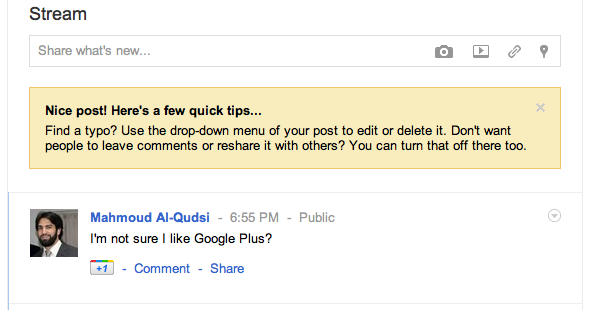
I think we’re on a roll here with picture blogging, but here’s another. This one is from Google+, the newly-launched social network hoping to take a chunk out of Facebook’s dominance in this market.

I think we’re on a roll here with picture blogging, but here’s another. This one is from Google+, the newly-launched social network hoping to take a chunk out of Facebook’s dominance in this market.


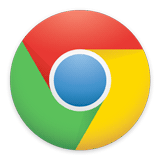
Google Chrome has a new logo, and it wants to make sure everyone knows.
Those of you updating to the latest Chrome builds (in this case, 11.0.696.12 dev, running on Mac OS X 10.7) will find that the new version comes with a bold new icon. We’re not sure if we like it just yet, because it definitely takes some getting used to.
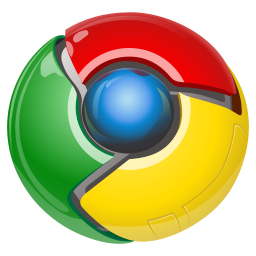
The new icon is at the top-right of this post. For comparison, here’s the old one:
![]()
The new one is distinctly more 2d, less shiny, and far more abstract. They say that’s the natural progression of logos, but Chrome and its logo certainly haven’t been around since the 60s for us to be discussing that.
Google, ever the world’s biggest supporter of the minimal user interface, appears to be having second thoughts about the advantages of ascetic design and no-frill search pages. If you go to the Google homepage while signed into your Google account, you’ll be (pleasantly?) surprised with a small link in the bottom-left corner titled “Change Background Image.”
Google Chrome 4.0 went live a couple of weeks ago, and it has a feature that’s been missing in most mainstream browsers ever since the Web was invented: a progress bar that actually shows, well, the progress of uploads. It’s really frustrating to be uploading a large file to a website or as an attachment to an email or forum post and not know whether or not it’s taking this long because it’s just slow or because it’s really stuck.
Chrome 4.0 now shows the status of file uploads as a percentage, making it very clear just how quickly (or not) your uploads are progressing – and it’s something that all browsers should add ASAP. Many social websites rely heavily on uploads of photos, videos, music, and other files and are forced to implement nasty workarounds (such as using Flash upload forms) to present a more user-friendly upload system.
Google is now unfortunately hiding the URIs for certain search results far more often than they ever have done in the past… and it’s quite annoying. The Google search site is the pinnacle of function over form: it is sparse, plain, simple, and yet contains tons of information. But it seems that they’re taking it a bit too far now, hiding valuable data making the results pretty useless. Marissa Mayer, where art thou?
As an example, search Google for “libmhash” right now. The first result is the result you want, but you’d never know it from looking at the search result:
A recent article on OSNews highlights the changes expected to come in Google’s Chrome 2.0 for Windows and the progress being made on the Linux and OS X fronts for Google’s new browser.
In the article, Ben Goodger, lead Chrome UI developer, states
[Google avoids] cross platform UI toolkits because while they may offer what superficially appears to be a quick path to native looking UI on a variety of target platforms, once you go a bit deeper it turns out to be a bit more problematic.” [... Your applications end up] speaking with a foreign accent.
But there’s something we’re not getting here. Obviously given enough brilliant programmers and a good team lead to keep the different codebases in sync, going with native APIs is the better approach. But the reasons Goodger is offering aren’t very convincing.
A couple of hours ago, the Google Security Team posted an article claiming that Google’s made the switch to OpenID, joining Yahoo! and Microsoft in the ranks OpenID providers.
But it looks like someone may have been a bit to hasty to pull that switch (perhaps itching to get some of the limelight Microsoft has been receiving for adding OpenID to all Live ID accounts just the day before yesterday)… because whatever it is that Google has released support for, it sure as hell isn’t OpenID, as they even so kindly point out in their OpenID developer documentation (that media outlets certainly won’t be reading):
- The web application asks the end user to log in by offering a set of log-in options, including Google.
- The user selects the "Sign in with Google" option.
- The web application sends a "discovery" request to Google to get information on the Google authentication endpoint. This is a departure from the process outlined in OpenID 1.0. [Emphasis added]
- Google returns an XRDS document, which contains endpoint address.
- The web application sends a login authentication request to the Google endpoint address.
- This action redirects the user to a Google Federated Login page.
As Google points out, this isn’t OpenID. This is something that Google cooked up that resembles OpenID masquerading as OpenID since that’s what people want to see – and that’s what Microsoft announced just the day before.
It’s not just a “departure” from OpenID, it’s a whole new standard.
Gmail may have a serious security vulnerability that can result in the leaking of sensitive private information randomly to people you don’t know, haven’t contacted, and have nothing to do with.
It would seem that between the way Gmail saves and retrieves sessions, existing sessions are authenticated, and views are cached there are one or more loopholes that allow data from a different account (that has nothing to do with yours) to be served instead of the correct data.
I don’t know why, but here’s the how:
It used to be that when you opened your Gmail account you would see a bland, blank page with the text “Loading…” in the upper-right corner of the screen, as you waited for your browser to download the Gmail scripts and to make contact with the mail server to download the list of messages and other content that appears on the Gmail “dashboard.”
We’ve long felt that Gmail’s approach was not befitting of the Web 2.0 service with all its sky-blue shades and flashy appearance – and now it seems that Google’s felt that way too.
Here’s the new loading interface… Subtle, simple, and effective:
(Click image to see more changes)
After all, first impressions are everything!